This is a high-level programming language, which is used by database users to access the database.
This is also called non-procedural language because just like other programming languages it does not follow any fixed procedure or sequence for execution. Instead, it allows users to just pass on the commands in simple English text that follow simple syntax which can be easily understood by any user like this: create table, select data, insert data, etc.
SQL, Informix 4GL, and Oracle are examples of 4gl.
Advantages of 4GL
Now days databases are used everywhere to manage data so 4GL makes it very easy to create, manage and operate the databases.
A single line command can perform the task. On the other hand, in other languages, we need to write a series of commands (sometimes a huge segment) for the same task, in which syntax and keywords are not easily understandable.
This type of language just focuses on “what is required”.
Users need not worry and define “how it needs to be performed”.
It is very easy and simple to use even for beginners or end users.
It reduces overall cost, time, and effort.
Disadvantages of 4GL
This language is only database oriented, which means we can use it for databases only.
This is easy for users but in backend each query executes a sequence of commands which makes it time consuming. (Not create that much delay and effect)
Grace Hopper, brought a revolution in the field of computers. She was the first to explore computer programming. She is rightly known as the Queen of Computer Code. Her motto in life was “Dare and Do”.
Grace Brewster Murray Hopper was a Computer Scientist, mathematician, and Admiral in the U.S. Navy.
Birth and Education
Born on December 9, 1906, in New York City, USA, Grace was brought up by her parents very nicely. Father, Walter Fletcher Murray, and mother, Mary Campbell Van Home, provided all sorts of books to develop her curiosity. They always motivated her to be self-reliant and hard-working to fulfill her dreams. Grace was their eldest child.
Grace completed her schooling in New York and New Jersey. She did her graduation and masters in Mathematics from Vassar College. From Yale University, Grace completed her Ph.D. in Mathematics in 1930.
Married Life
Grace Murray was married to Vincent Hopper in 1930. He was a professor at New York University. The couple got separated in 1945. They had no children.
Career
Grace Hopper’s success journey began when she joined as a Mathematics Assistant at Vassar College in New York.
Second World War
Grace tried to join the military during the Second World War in 1941. But she was refused due to her height. She was a good mathematician. So, she was selected.
Later in 1943, Grace joined the Naval Reserve for training and became a Battalion Commander. In 1944, Lieutenant Grace Hopper joined a team, who were working on the computer, Harvard Mark I, which was approximately 51 feet long and built by IBM. She used to sleep beside the machine to repair if anything went wrong. Hopper learned a lot in this team.
After the War
In 1949, Grace became a Senior Mathematician in a company that built ENIAC, an electronic computer. She started working for a computer that could do the programming by itself.
Invention
In those days, the computer was using machine-coded language which was not used by the general public. So, Grace started working in the direction that computers will use human-friendly languages and then it will translate them into machine code. And her team was successful in inventing a TRANSLATOR, which is now known as COMPILER. The credit for inventing Flow-Matic and A-OI goes to Grace.
For many years, many young computer scientists joined her team and learned a lot from her.
Books
Murray published two books- A History of Programming Languages and The Education of a Computer (1984) and Computers and People: A Refection (1991).
Retirement
At the age of 79, ‘Amazing Grace’ retired from the Navy. She was never fully retired. She continued working as an industry consultant.
Death
On January 1, 1992, at the age of 85, in Berkeley, California, Grace Hopper left this world. Her body is interred at Arlington National Cemetery.
Influenced by
In her life, Grace Hopper was influenced by Howard Hathaway Aiken and John Mauchly, American Physicists, and Richard Courant, a German-American Mathematician.
Awards and Recognitions
During her lifetime and also after her, awards and recognitions flooded in the name of Grace. She received 40 honorary degrees, 9 military awards, and 26 other awards and recognitions. Also, many colleges, parks, streets, buildings, awards, bridges, meeting halls, a supercomputer, missiles, etc are named in her honor.
Even a minor planet discovered by Eleanor Helin is named ‘5773 HOPPER’ in her honor.
In 2020, Google also did not stay back in honoring Grace. It named an undersea network cable ‘GRACE HOPPER.’
Famous Quotes
Grace Murray Hopper’s famous quotes which still inspire the world are as under:
“A ship in port is safe, but that’s not what ships are built for.”
“It is often easier to ask for forgiveness than to ask for permission.”
“You don’t manage people, you handle things. You lead people.”
“One accurate measurement is worth a thousand expert opinions.”
“I have always been more interested in the future than in the past.”
“Humans are allergic to change.”
Her most disliked phrase was -“Why we’ve always done it that way.”
Grace Hopper’s invention gained international attention. Once she told her biographer that teaching was her greatest joy.
The life of Grace Hopper is one of the most inspiring ones. She worked like a hero, a noble scientist, a magician, and a revolutionary. Her life showers a positive and daring impact on every woman. Really, Grace was a boon to the universe.
Although these fields initially appear comparable, their variability quickly becomes apparent when several studies are performed. The most important critical question is: which career is better in the long run? Both software engineers and computer scientists are concerned with computer programs and software improvement and various related fields. Investigators in a profession focused on software improvement and software engineering are regularly aware of one of the recognized specialties: computer science or software engineering, often called software improvement, but they are not synonymous.
What is Software Engineering?
Software is more than just program code. It is executable code that serves several computational purposes. Software is understood as a series of executable programming codes, related libraries, and documentation. Software engineering is an engineering department related to improving software products using well-described clinical ideas, strategies, and procedures. The final result of software engineering is an effective and reliable software program.
Head spaces of study inside Software engineering incorporate artificial consciousness, PC frameworks, and organizations, human PC cooperation, security, data set frameworks, vision and illustrations, computer programming, mathematical investigation, programming dialects, bioinformatics, and hypothesis of registering.
Key Skills to Be a Software Engineer
Developing a career as a software engineer requires a minimum primary education, which usually includes a bachelor’s degree. The most popular ones are in software engineering or computer science, and math. Upon entering the world of advanced software engineering, you have several career paths to choose from, the most popular of which are:
Blockchain Engineer
Security Engineer
Embedded Systems Engineer
Data Engineer
Backend Engineer
What is Computer Science?
Informatics is a look at computer systems and computational structures. Unlike electrical engineers and computer scientists, computer scientists mainly deal with programs and the structures of computer programs; this comprises their concept, layout, enhancements, and software. The main areas to look at in computer science include synthetic intelligence, computer and network structures, security, database structures, human-computer interactions, imagination and prediction, imagery, numerical evaluation, programming languages, software engineering, bioinformatics, and the concept of computer science. The maximum essential factor of computer science is problem-solving, a critical life skill.
Computer science is a designing branch that improves programming items utilizing apparent logical standards, strategies, and techniques. The result of computer programming is an effective and solid programming item.
Difference between Software Engineering and Computer Science
Sub-division of Arithmetic
Both software engineers and computer science are concerned with computer programs, computer program improvement, and various related fields. The number one distinction is that computer science initially became a subdivision of arithmetic. Software engineering offers the basic shape of a computer and is beyond theory. Therefore, it is so much more plastic in specialization phrases with an emphasis on math and technology. Software engineering is the discipline of software engineering strategies for the emergence, maintenance, and layout of software for many one-of-a-kind purposes. A software engineer designs custom-designed programs according to the needs of the organization.
Technology, Design, and Development
Initially, computer science becomes the subdivision of arithmetic that manages the foundations of the computer in a theoretical manner. In specialization phrases, computer science is very plastic, with an emphasis on technology and mathematics. Software engineering, however, is a discipline that deals with software engineering strategies for the design, maintenance, and emergence of programs for many one-of-a-kind purposes. Software engineers arrange custom programs according to their organizations’ needs.
Software engineering can also deal with the interaction of software packages with hardware. For example, an IT professional may decide on an approach to creating software packages that are well suited to the computer’s hardware. However, a software engineer offers the most useful software packages, mainly software development, maintenance, validation, and generation.
In addition, a software engineer can obtain precise application requirements when constructing a software layout. At the same time, a computer scientist works with computer languages and mathematical calculations to make approximate choices of how the application needs to be designed.
Programming – Theory vs Practical
Another difference between computer science and software engineering is software for programming and software improvement. Software engineering will know how to calculate and calculate exact approaches to application programs, in addition to locating the calculations that allow engineers and designers to construct software packages to meet product needs. Software engineers essentially use IT professionals, assessments, and descriptions as useful resources to fully enhance and create the latest software frameworks and packages.
Computer science is also one of a kind compared to software engineering. It focuses strictly on the clinical theories behind computer operations, computational structures, registers, and design software. However, software engineering can apply these theories to useful resources within layout and strategies for constructing structures, hardware and software packages, and programs. Thus, while computer science studies and develops theories related to computer operations, software engineering applies these theories to construct real international computer programs. In addition, software engineering can generally recognize the complexity and algorithms of software packages in addition to a variety of analyses, as can computational programming technology, visualization and imagery systems, and consumer interaction. The way an engineer takes control of a product consists of deploying software, evaluating, and checking automation and software product warranty evaluations.
Software engineering can also add any knowledge of computer coding and languages. However, maybe additionally take a closer look at coding to apply it when developing and designing programs. A computer scientist may also know coding in addition, as it relates to computer languages, and will additionally use differentiated computer coding to calculate the compatibility between hardware and software programs. The app specializes in backside image creation technology for computer systems while applying clinical and mathematical ideas to building, designing, and implementing software and hardware packages.
Software engineering deals with systems and information as the most realistic technique for improving and using a computer. Although computer engineers are aware of the program, the computer engineer also needs to know the hardware. In addition, computer engineering combines electrical engineering and technological know-how, focusing on program hardware interactions.
Some of the most unusual slot packages in computer engineering include CPU interface, virtual logical design, thermodynamics, endurance management, solid-state physics, and magnetic fields. MCA degreesare entirely customizable as packages often hide a wide variety of interests. Ultimately, you are on top of your own diplomas when you know your interests; this customizable diploma will guide your career toward your favored profession.
Computer Science Job Responsibilities & Education
Computer science knowledge offers the basic shape of a computer and is beyond theory. As a result, they are very pliable in specialization phrases, emphasizing math and technological expertise. When computer systems were introduced, there were levels of computer know-how in the math department. Since computer systems have become an essential part of society, a branching degree has shown that it has grown, but the consciousness remains the same. Check out this PGP in software development from Great Learning to kick-start your career in software engineering and land your dream job.
How wonderful to have the whole world of knowledge and information at our fingertips.
Well, this is due to the wonderful applications of Computer Science. This course has become the most wanted course both at graduate and post graduate level in India. Computer Science Engineering (CSE) encapsulates a variety of topics like programming languages, software, hardware, robotics, computation, analysis of algorithms, etc.
In India, there are more than 3800 Computer Science Engineering colleges. Out of these nearly 2005 colleges are private, 323 are government and about 36 are semi-government colleges. They offer BE/B.Tech degree through full-time, part-time, and Distance Learning Programmes.
The colleges are ranked by the National Institutional Ranking Framework (NIRF), Nature Index, India Today, Atal Ranking of Institutions on Innovation Achievements (ARIIA), Times Higher Education (THE), etc.
Parameters for Ranking
The ranking organizations shortlist more than 5000 colleges every year and divide them into different groups according to their cumulative scores out of which some are given below:
Students’ most preferred choices during choice-locking after the entrance exam
Qualities of Faculties
Application-to-seat selection ratio
Quality accreditation given by NAAC, NBA, NIRF, India Today, etc.
Opinions given by experts
Feedback by alumni
The data is then divided into nine clusters and then the colleges are awarded ratings as per the following slab:
Q1. Why do we consider private and government colleges separately?
Government colleges receive aid in terms of good infrastructure facilities, special grants, and full financial support in terms of loans, scholarships, interest subsidies, technical assistance, insurance, etc. while private colleges have to capitalize on themselves by charging high fees from the students, donations from some private organizations and individuals. They have to struggle to hire expert faculties by paying them handsome salaries.
Q2. What eligibility is required generally for CSE colleges?
Eligibility required for these colleges – 10+2 with PCM and English from a recognized board.
Q3. Which are the top 10 entrance exams conducted to qualify for B.Tech CSE Colleges in India?
The various entrance exams accepted by B.Tech CSE colleges in India are :- JEE Main, TNEA, MHT CET, AP EAMCET, UPSEE, KCET, TS EAMCET, KEAM, GUJCET, COMEDK UGET, etc.
Q4. Are JEE Main and JEE Advance exams compulsory for Computer Science course?
No, it is not compulsory to give JEE for pursuing B. Tech in Computer Engineering. But many colleges and universities require JEE scores for admission. Many universities usually conduct their own entrance exam.
Q5. Is there any Special Offer for admission in such top colleges?
Yes, many colleges offer DIRECT ADMISSION for Class XII Board toppers.
Q6. What skills do a CSE course pursuing candidates must have?
Computer Science Engineering course pursuing candidates must have skills such as:
Analytical skills
Mathematical and statistical skills
Basic web development knowledge
Knowledge of algorithms
Knowledge of software tools
Problem-solving skills
Reasoning skills
Understanding of software design
Q7. What are the career opportunities after CSE?
Ans: CSE graduates can start their career as a Hardware Engineer, Software Engineer, System Hardware Engineer, Computer Scientist, Data Warehouse Analyst, Database Administrators, Data Mining Engineer, Computer Operator, Computer Programmer, Software Developer, Systems Analyst, Computer and Information Research Scientist, Computer Network Architect, Roboticist, Cloud Engineer, UNIX System Administrator, Engineering Support Specialist, Front End Developer, Back End Operator, etc.
Q8. Which companies are the top recruiters of CSE candidates?
Ans: Top recruiters are – Amazon, Tata Consultancy, Big Bazaar, Bosch, Taj Hotels, Toyota, CISCO, Accenture, Cognizant, JSW, Indiamart, Adobe, Cognizant, Infosys Technologies, Microsoft, Wipro, IBM Services, Deloitte, Google, Indian Oil, Reliance, Citibank, Samsung, Yahoo, Jaguar, TATA, Dell, Standard Chartered, Apple, Capgemini, Intel, Uber, Myntra, ONGC, etc.
Q9. What parameters are used for World University Rankings Methodology?
Ans: The parameters used for World University Rankings Methodology are- Teaching (30%), Research (30%), Citations (30%), International Outlook (7.5%), and Industry Income (2.5%).
Conclusion
All the CSE colleges in India play an outstanding role in bringing up their students. They leave no stone unturned for the overall growth of their students.
And thus, India’s CSE students receive high regard from US and European countries. We can boast ourselves of having enormous technical power in the world. These students have successfully launched many satellites and have made India self-reliant in many technologies. We are ready to face the super powers of the world.
Apart from all these achievements, still, the Indian government is needed to take crucial steps to tackle the problem of ‘Brain Drain’ which requires immediate attention. The government should develop its infrastructure, salary norms, and publications in this field which is the need of the hour.
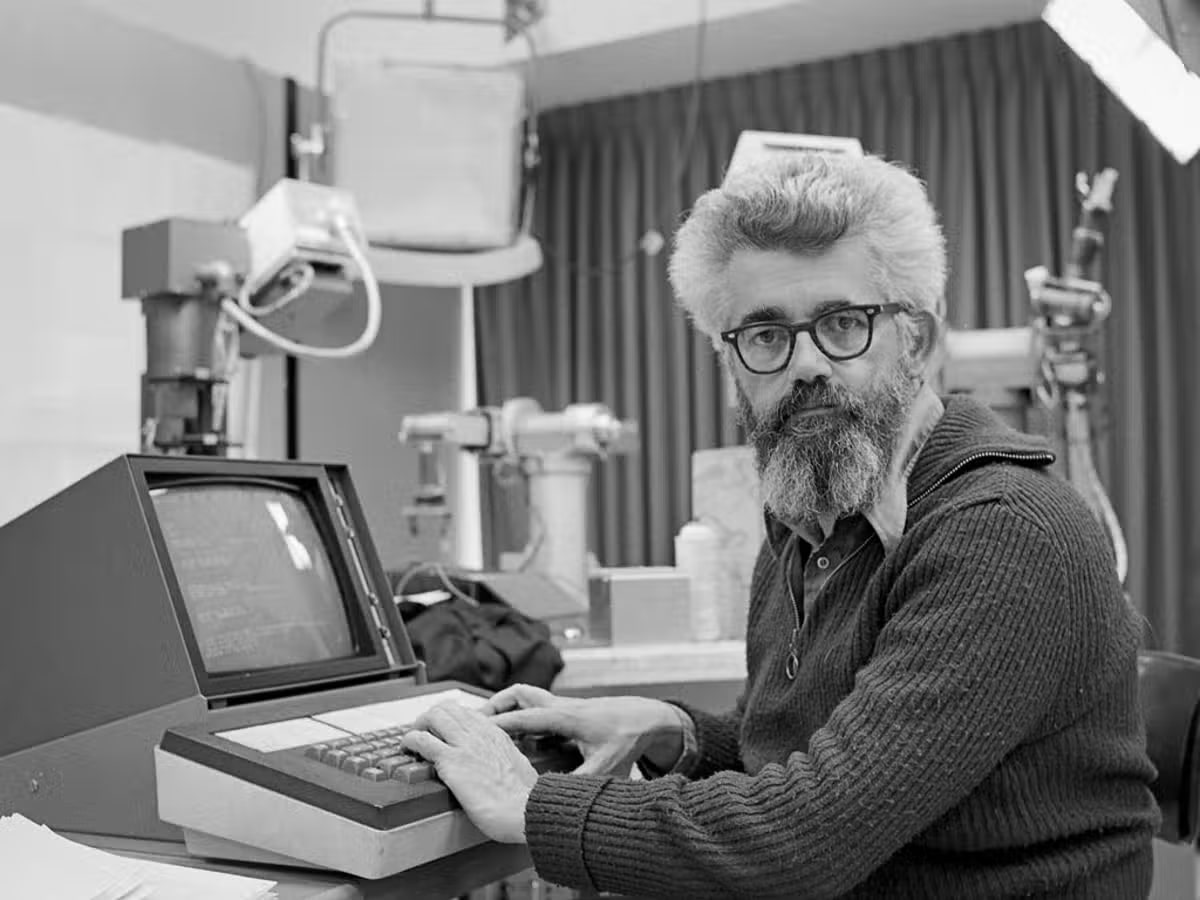
John McCarthy is a pioneer of AI or Artificial Intelligence and a popular computer scientist. He made huge contributions in mathematics and the computer science and made significant inventions in the field of artificial intelligence & interactive computing systems.
Early Life
McCarthy was born in 1927, in Boston, Massachusetts. His father, Patrick McCarthy, was a Catholic who became a labor organizer and Business Manager of the Daily Worker, a national newspaper that was owned by the Communist Party in the USA. John’s mother, Glatt, was a Lithuanian Jewish immigrant and worked for the wire service as Daily Worker later and as a social worker.
His family and John lived through the great depression during the 1930s. The recession caused them to shift and relocate to LA. His excellence was becoming quite apparent though his health hindered his schooling. John was self-taught during his academic life. When health permitted, John entered public school and skipped several grades because of his self-study.
Being a sickly child, John turned to read books for solace, eventually, his family shifted in the hope his health will improve. Though it did, and he also proved to be a prodigious scholar, skipping 3 grades in 1944 he entered the California Institute of Technology. Despite the fact he took a little time off from his school for several reasons, which includes his stint in the army as a clerk, John graduated 4 years later with a degree in mathematics.
Education
John 1948 got a bachelor’s degree in mathematics from California Institute of Technology & later in 1951 he became a doctorate in mathematics from Princeton University. From 1955-58, he held professorships at Dartmouth College; Massachusetts Institute of Technology in 1958–62, where he worked on the earliest time-sharing systems; later between 1953 and 1962 at Stanford University he founded SAIL or Stanford Artificial Intelligence Lab, which was the primary centres for the research in this field. Though he started in mathematics, he started with the newly made computer science department in 1963 at Stanford and stayed there till his retirement.
Personal Life
Dr John McCarthy was married 3 times. Vera Watson was his second wife and also a member of the American Women’s Himalayan Expedition, she died in a climbing accident that happened in 1978 on Annapurna.
Besides Sarah and Calif., he’s survived by his wife, Carolyn Talcott, another daughter, Susan, of San Francisco & son, Timothy.
He stayed to be an independent thinker in his entire life. Some years before, his daughters gave him the license plate bearing his favourite adages: “Do the arithmetic or be doomed to talk nonsense.”
Career
Dr John’s career followed an arc of current computing. Trained as a mathematician, John was responsible for the seminal advances in this field and often was called the father of computer time-sharing, it was the major development of the 1960s that allowed many people and companies to draw from one single computer, like the mainframe, without having one.
Reducing costs, allowed many people to make use of computers and laid the groundwork for interactive computing.
Although he didn’t foresee the rise of the personal computer, John was prophetic to describe the implications of various other technological advances years before they got currency. In the 1970s, he presented one paper in France about buying & selling by computer, now it is termed electronic commerce.
And while studying artificial intelligence, there is nobody more influential than McCarthy. When teaching mathematics in 1956 at Dartmouth, Dr John was also the organizer of his first Dartmouth Artificial Intelligence Conference.
His idea of simulating intelligence was discussed for years, but the term “artificial intelligence” —used originally to help to raise funds for supporting conferences — stuck.
Dr John moved to the Massachusetts Institute of Technology in 1958, and there with Marvin Minsky, John founded Artificial Intelligence Laboratory. This was at MIT he started working on List Processing Language (Lisp), a programming language that became a standard tool for AI intelligence research & design.
Evolution of AI
During the summer of 1956, John started working on a program that will help the computer to play chess. To limit its possible moves and speed up this game, John developed the method termed an alpha-beta heuristic that made it actually possible for the computer to eliminate moves that will benefit the opponent. It was the evolution of artificial intelligence (AI), a term John coined that year while he organized the first conference on modelling intelligence in computers.
John became an associate professor in mathematics at the Massachusetts Institute of Technology in 1958 and founded his first Artificial Intelligence laboratory there. He started creating a computer language that will be called List Processing Language or LISP. It remains a commonly used language, especially in AI research. When at MIT, John started developing different ways of time-sharing on computers that will make the networks possible just by allowing several people to share their data on the same large computer. Besides, he initiated work on the concept of giving computers “common sense,” it was an idea that will perplex programmers for years.
AI Accomplishments
Programming languages, the web, the Internet, and robots are some of the technological innovations that McCarthy paved his way for. He coined “Artificial Intelligence,” as the first computer language for symbolic computation, LISP (that is used even now as the most preferred language in AI), and established time-sharing. The human-level AI & commonsense reasoning were his major contributions in this field. Furthermore, Dr John has written many papers on the theories of various calculations that are the basis of software science today.
In the field of engineering, he proposed some basic concepts of the Time-Sharing System and was also involved in its development. The work opened the way for the development of large-scale computers today.
Besides his academic contributions, Dr John established his first AI research project at the Massachusetts Institute of Technology and was also the founder of the Artificial Intelligence Lab. When he moved to Stanford University, he established AI Laboratory there.
Awards
His efforts in the artificial intelligence field are quite immaculate throughout his wonderful career. John’s contributions were recognized worldwide and he also received several awards. He won several prestigious awards, which include:
He received Turing Award from Association for Computing Machinery in 1971.
Was awarded Kyoto Prize in 1988.
He was awarded the National Medal of Science in the Statistical, Computational Sciences & Mathematics by the USA in 1990.
In 2003, he was awarded the Benjamin Franklin Medal in Cognitive Science & Computers by Franklin Institute.
An online IDE or compiler comes in quite useful especially when you are looking to compile and interpret programming code to & from different languages. There is a possibility that your computer might hang if you use a bunch of apps at one time, thus, for these scenarios, the online compiler is the best option.
Suppose, you wish to run three programs that are written in C++, Java, and Python, rather than installing 3 compilers, you can use an online compiler that, in one single click.
This post provides you with the best features of top online compilers available for compiling and executing your source code.
Why Are IDEs Important?
Just think of a situation, you make pizza for dinner. Though you know its recipe, you will require all the ingredients and tools or equipment that will put your idea into action. You can find all relevant ingredients and tools in your kitchen. So, it is your workplace.
In the same way, though developers or programmers know to code, they will require a workplace with relevant tools. So, IDE will give the developers and programmers that workstation. For this reason, IDEs are quite important.
Luckily, there are a lot of options you will find. The given are some best multipurpose IDE program that supports C, C++, JavaScript, Java, PHP, Python, and more.
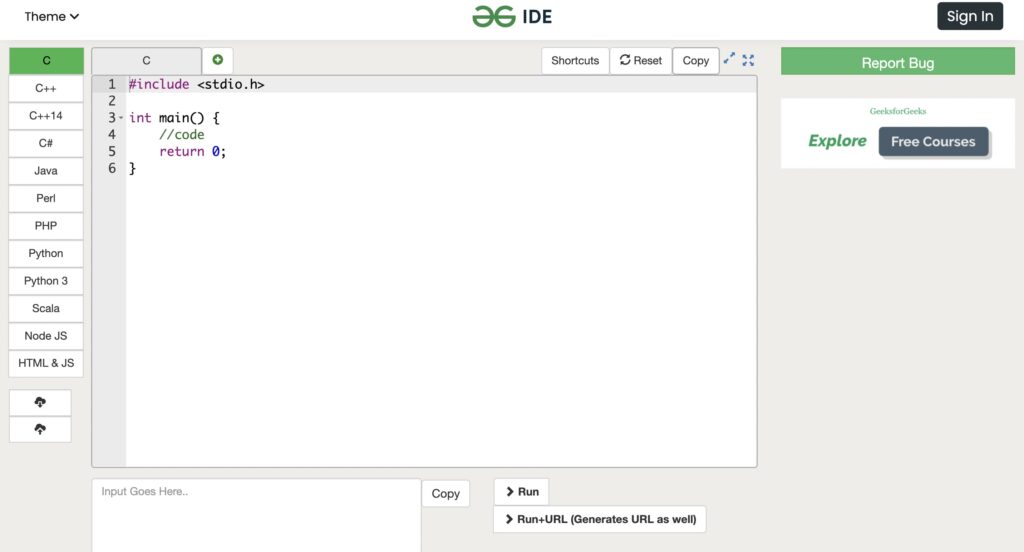
GeeksforGeeks is a popular compiler online that allows users to compile the source code & execute it online. The platform supports over 60 programming languages.
It is one popular platform online that serves as the compiler, interpreter, IDE, and editor. This allows the users to write, run, collaborate, share and execute Python code through your browser. GeeksforGeeks IDE runs the code with cloud servers & scalable architecture that helps to achieve amazing speed. This platform offers community-built tutorials, tools, code examples, cheat sheets, Q&A, and much more.
Run code in a popular programming language like C++, Python, Java, Perl, Scala, and others.
Shortcuts to save time.
Download programming code to your systems.
Works on mobile phones too.
Stay anonymous and do not have to make an account.
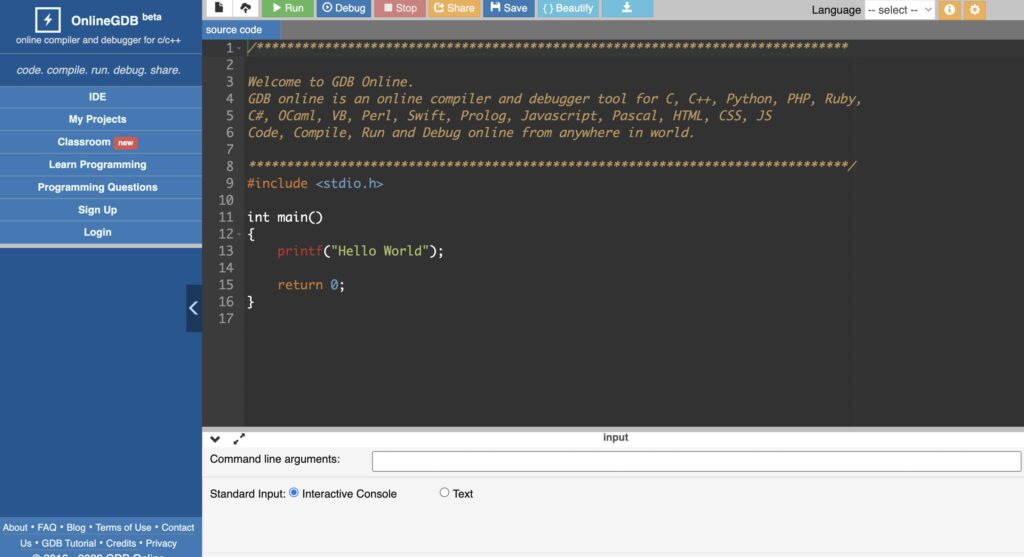
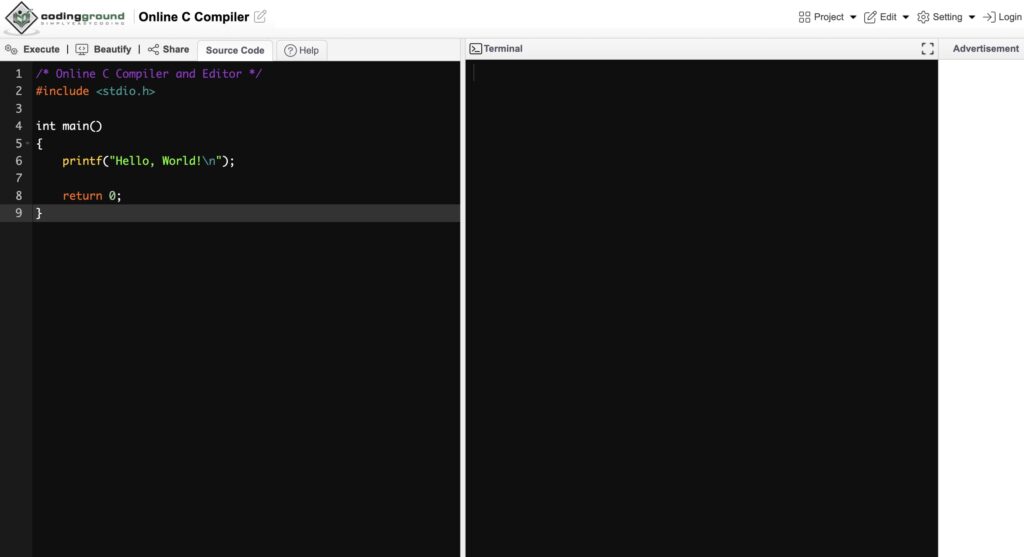
OnlineGBD offers an interesting and best user interface for compilation online. This compiler online offers you great features, such as auto-suggestion, colour coding, save source code, auto-close brackets, and debug code. Besides OnlineGBD being a popular choice for running C code, the number of functions it offers is very convincing to spare a try. It offers quick execution with various features like error detection, screen customization, project creation, and login with your account.
An interactive terminal or text file is used to give input.
Built-in code debugger and formatter.
Interactive console & split view.
Handy web application for coders who like online coding.
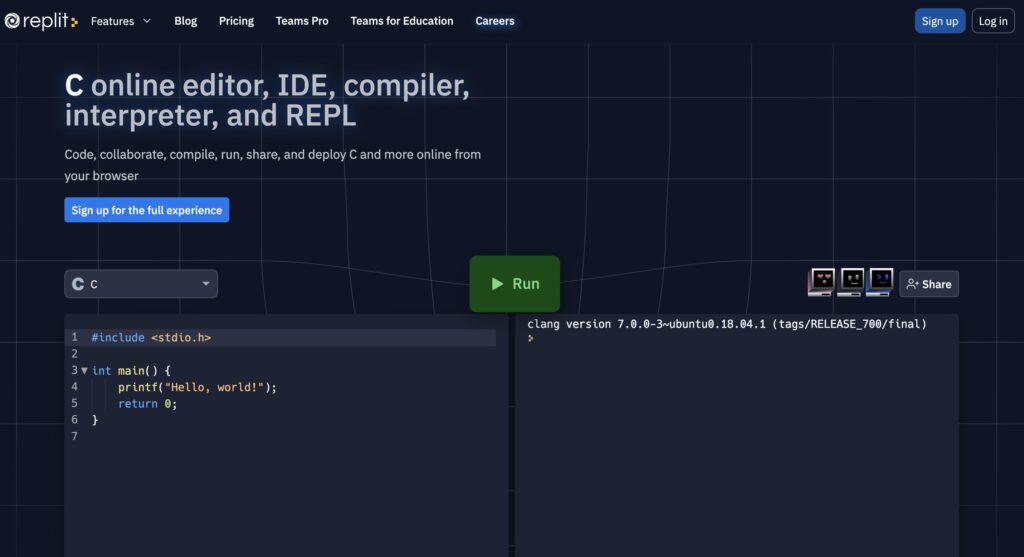
Learn and create programming code with Replit’s in-browser, and free collaborative IDE, which supports more than 50 languages without making you spend much time in the setups. You may start coding your language on any device, system, or platform you want to.
Invite your colleagues, friends or teammates to edit any code in Google docs. You may also import the code to GitHub for collaborating with GitHub repositories. No matter whether you’re comfortable with Python, C++, CSS, and HTML, you can easily write code and edit on one single platform.
Furthermore, when you have written the code, it goes live instantly. Suppose you wish to learn more about code, then Replit has over three million technologists, passionate programmers, and creatives. With real-time collaboration with teams, you will find your team to be more productive. In addition, you may create bots, applications, etc., with help of the plugins when coding. This tool helps you to develop your projects straight from your own browser.
Run more than 60 different programming languages
Offers collaboration with your colleagues and teammates easily.
Supports GitHub integration, run, import, and collaborate on GitHub Repos with zero manual setups.
Host & deploy your code with the whole world.
Huge community support with more than 500,000 weekly developers and more than 3 million users.
Creative and fast UI makes the coding experience better.
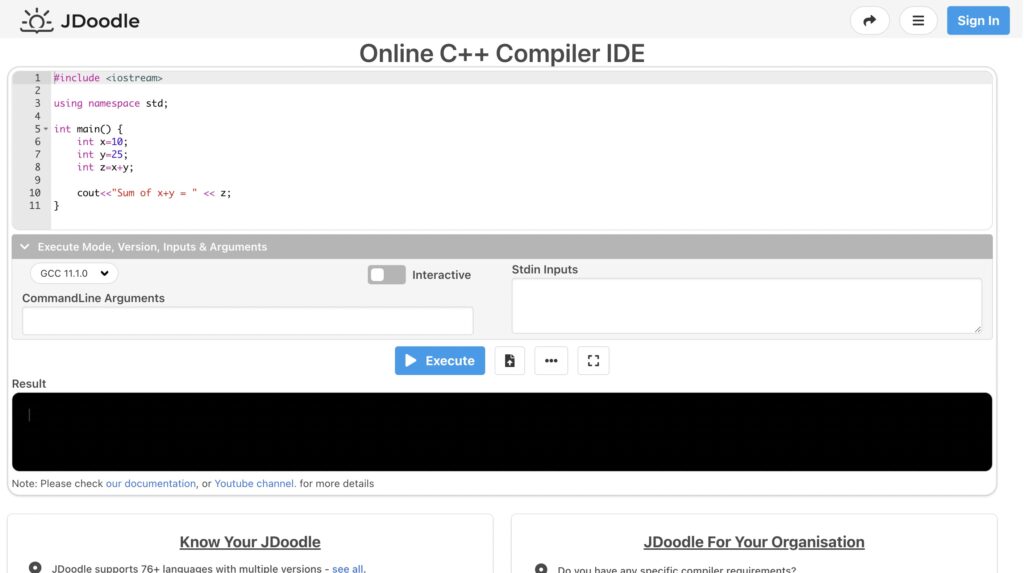
Jdoodle compiler supports various languages with certain features like download code, colour coding, project creation, account login as well as error detection in a source code. Jdoodle is a basic compiler and produces the output in the same window, so you can log in to use advanced features.
The compiler starts with the text area, where you may paste the code and click on a run icon. You can change its command line parameters as well as set stdin before you run a program. It supports over 68 languages and runs from your site or blog straight away. JDoodle saves your program and shares this as a URL with people you want.
Embed your website or blog easily.
Simple to use.
Supports over 76 languages.
JDoodle advance supports multiple files, custom libraries and file reads.
Interactive mode.
Interactive terminal online for MongoDB and MySQL.
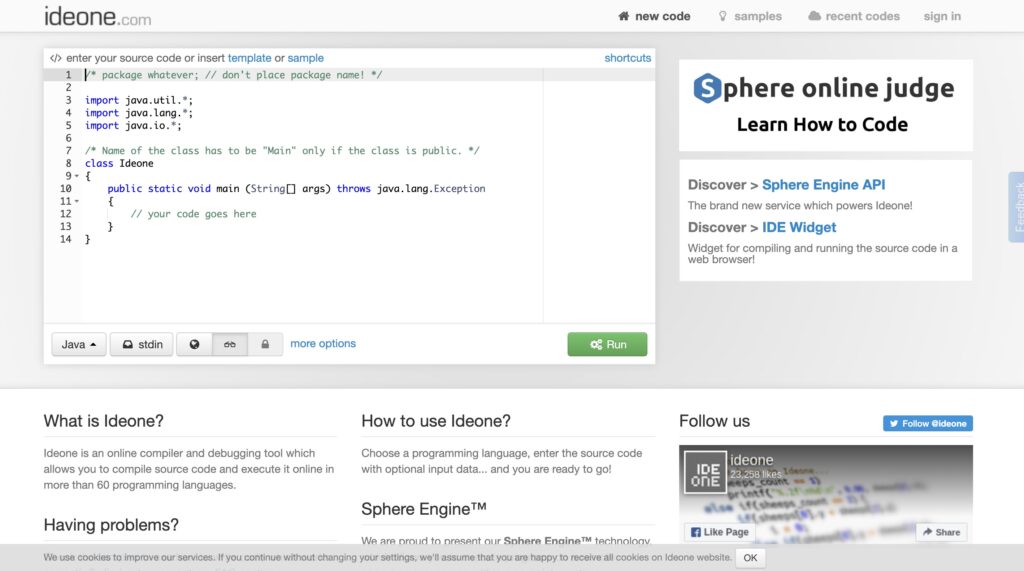
Ideone offers the compiler online with the debugging tool. Certain features like login, download code and colour-coding also are easily available with this compiler. Ideone will execute over 60 programming languages, like Python, Java, and R. It’s simple to use the compiler online with some interesting standard IDE online.
Ideone is a popular online compiler & debugging tool, which allows developers and programmers to run and compile code in over 40 programming languages. Source code download, syntax highlighting, and the possibility of making code private or public (available by you only) are some primary functions of Ideone. When running java code, it is important to keep proper track of the time that it takes for executing the code, error messages and memory usage.
Supports various programming languages.
Syntax highlighting
Simple to load and fast platform for checking code.
Compile in over 60 programming languages.
Save codes in an organized way and share this through the provided link.
Fully featured debugging software that makes debugging fun and easy.
Offers functionality to make the code private, public, and secret.
Embed code with automated javascript code.
Enter notes with the code for a simple understanding of viewers.
Very useful shortcuts for fast and easy operation.
Tutorialspoint is a highly reputed website among computer geeks. The site offers compilers online for various programming languages. Suppose you have got a stable internet connection, Tutorialspoint online compiler can execute the code within no time. The compiler provides several interesting features such as downloading source code, colour coding, and screen customizing. Its main feature lacks is auto-suggestion.
Tutorialspoint has over 35 million visitors monthly on the website. It offers the best and most quick compilers online for executing source code. Some of the features like creating new files, colour coding, downloading your file, creating new projects, and projects, displaying errors in source code and customizing screen settings are the best.
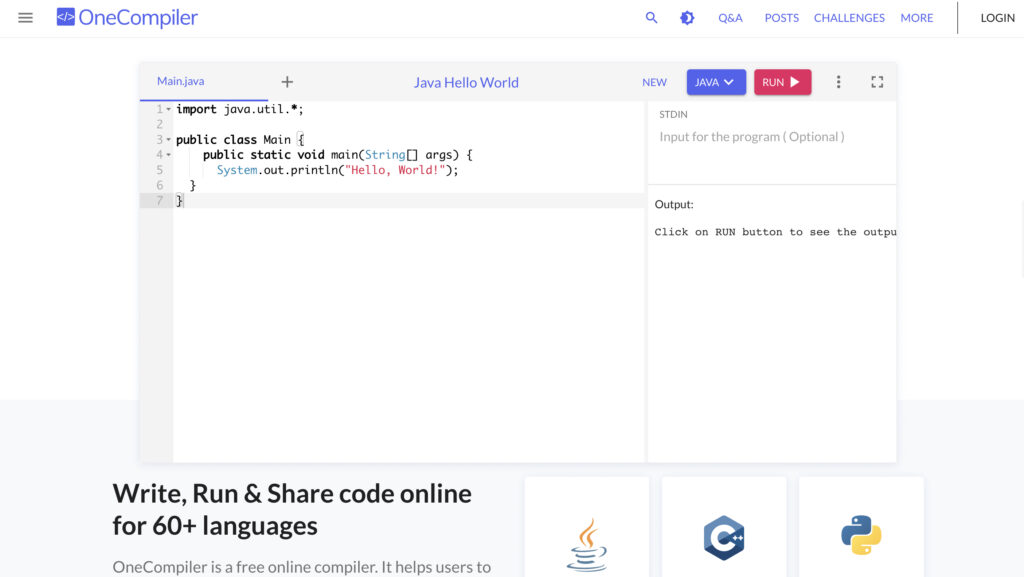
OneCompiler is a powerful and feature-rich Java compiler online that functions on the Java LTS version. You can fast build, run, as well as distribute the code free by using OneCompiler. When the user chooses Java as the programming language and starts coding, OneCompiler displays the sample boilerplate code. This has got dependency management functions for Gradle.
Even though it might be slow for running the first time when you add dependencies, it can get faster with successive runs. Besides that, you can find many posts, tutorials, and coding challenges, which help you to learn when you use this.
It has the useful syntax help area below an editor to address any common concepts quickly to help you understand them better. You can sign up, and you don’t need an account to use this compiler online.
It is quite fast hence it feels as if it is running locally.
Runs code on the strong cloud servers with a scalable architecture.
Offers auto-code suggestions.
Supports over 60+ languages.
Conclusion
The online compiler’s flexibility and ease of use allow any beginner to practice fast and learn to program quickly. Online-specific functions like having your code back up and collaborating with the link are a few important things that professionals can appreciate. Choosing the compiler online to run code has got its own benefits. You can choose one and start with the coding adventure.
Dynamic initialization states that we are initializing the objects at the runtime. Since we use constructors to initialize everything, here we are going to use dynamic constructors.
Here is an example of dynamic initialization:
#include<iostream>

using namespace std;

class Details {
    string name;
    int age;
    int rollno;

    public:
    Details(string n,int a,int r) {
        name=n;
        age=a;
        rollno=r;
    }

    void disp() {
        cout<<"The name of the Student is: " <<name<<"\n";
        cout<<"The age of the Student is: " <<age<<"\n";
        cout<<"The rollno of the Student is: " <<rollno<<"\n";
    }
};

int main() {
    string n;
    int a,r;

    cout<<"Please enter the name of the Student --> ";
    cin>>n;

    cout<<"Please enter the age of the Student --> ";
    cin>>a;

    cout<<"Please enter the rollno of the Student --> ";
    cin>>r;

    //Dynamically initializing
    Details firststudent(n,a,r);
    firststudent.disp();

    return 0;
}
Output:
Please enter the name of the Student --> neeraj
Please enter the age of the Student --> 28
Please enter the rollno of the Student --> 121
The name of the Student is: neeraj
The age of the Student is: 28
The rollno of the Student is: 121
This dynamic initialization can help us to create different constructors having the same function name but different parameters.
If you want to deallocate the memory then the delete operator can be used.
I hope you have understood this blog. Please do comment below if you are still facing any difficulties with the dynamic initialization of objects.
Anders Hejlsberg is quite a famous personality, being a Technical Fellow in the Developer Division of Microsoft, Hejlsberg is popularly known as the influential creator of the development tools and various programming languages. He’s a chief designer of C# programming language as well as a key participant in the development of the Microsoft .NET Framework. Since its release in 2000, the C# programming language has actually gained huge adoption and now is standardized by ISO and ECMA.
Anders Hejlsberg is a popular Danish programming engineer born on 2nd December 1960. He designed many popular and successful programming languages as well as development tools. Andres was an original author of the Turbo Pascal and key architect of Delphi. Currently, he is working for Microsoft company as a lead architect of C# & core developer at TypeScript.
Before connecting with Microsoft in 1996, Hejlsberg was an employee of Borland International Inc. Being a principal engineer, Turbo Pascal was originally written by Andres Hejlsberg, an integrated development, and architect of the successor, Delphi.
Early & Career Life
Andres studied engineering at Denmark’s Technical University but didn’t graduate. Though in 1980, he started writing various programs for the Nascom microcomputer, which includes the Pascal compiler that was marketed as a Blue Label Software for Nascom-2. But, soon he rewrote this for DOS and CP/M, marketing it as Compas Pascal & then as PolyPascal.
After that, this product was given license at Borland, and then integrated into IDE which became the Turbo Pascal system. PolyPascal was in competition with Turbo Pascal. The compiler was highly inspired by “Tiny Pascal” compiler “Algorithms and Data Structures = Programs by in Niklaus Wirth”, an influential computer book of that time.
Andres Hejlsberg with his partners ran the computer store that was located in Copenhagen & marketed accounting systems. The company, PolyData, was a key distributor for various Microsoft products of Denmark that put it at Borland. Hejlsberg and Philippe Kahn met first in 1986. For those initial years, Jensen Niels, who was Borland’s founder and majority shareholder, had handled this relationship between Borland & PolyData successfully.
Life at Borland
In hands of Borland, Turbo Pascal became a huge hit commercially as a Pascal compiler ever. Andres Hejlsberg stayed with PolyData till his company came under financial stress, during that time, he shifted to California and there he became the Chief Engineer in Borland. There he stayed until 1996. At this time he went ahead and developed Turbo Pascal, and became a lead architect for his team that produced a replacement for the Turbo Pascal, Delphi.
Life at Microsoft
Andres left Borland in 1996 to join archrival Microsoft. His achievements were J++ programming language & Windows Foundation Classes; soon he became the Microsoft Distinguished Engineer & Technical Fellow. Since 2000, Andres was the chief architect of his team developing the C# programming language.
We can pass objects as arguments in member or non member functions. They can be passed either by value or reference. Pass by value creates another copy of the particular object which is deleted after the function is ended. Pass by reference means that we are passing the same object as a reference so if we do any changes in the object then it will remain permanently.
Here is an example of passing objects in function arguments.
#include<iostream>

using namespace std;

class student{
    string name;
    double marks;

    public:
    void details(){
        cout<<"Enter the name of the student ";
        cin>>name;
        cout<<"Enter the marks scored by the student out of 100: ";
        cin>>marks;
    }

    void printdetails(){
        cout<<"The name of the student is: "<<name;
        cout<<"The marks scored by the student is: "<<marks;
    }

    // Passing two objects s1 and s2 of the student class.
    void avgmarks(student s1,student s2){
        cout<<"The avg marks scored is: "<<(s1.marks+s2.marks)/2<<"\n";
    }
};

int main(){
    student s1,s2,s3;

    cout<<"Details of 1st student"<<"\n";
    s1.details();

    cout<<"Details of 2nd student"<<"\n";
    s2.details();

    s3.avgmarks(s1,s2);
}
Output:
Details of 1st student
Enter the name of the student Pulkit
Enter the marks scored by the student out of 100: 88.9
Details of 2nd student
Enter the name of the student Rahul
Enter the marks scored by the student out of 100: 75.4
The avg marks scored is: 82.15
In the above code, we are passing the objects in the avgmarks() function, using the information provided by both the objects the average mark is calculated.
I hope you have understood this blog. Please do comment below if you are still facing any difficulties with this topic.
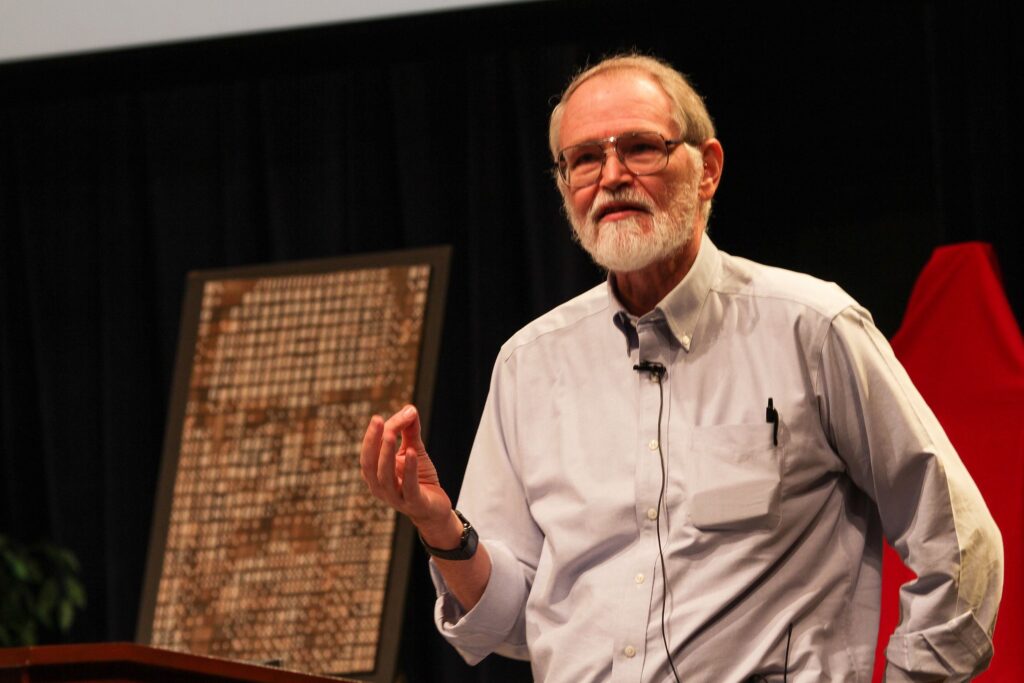
Brian Wilson Kernighan is a computer scientist from Canada. He worked at Nokia Bell labs. This is an American industrial research and scientific development company owned by a multinational company Nokia. He contributed to the development of UNIX with Ken Thomson and Dennis Ritchie. Brian Kernighan worked as co-author with Dennis Ritchie on the book The C Programming Language. Brian became famous through this C programming book.
Brian wrote many programs for Unix, including ditroff. Brian Kernighan is also coauthor of AWK which is a domain-specific language and AMPL which is a mathematical programming language. The K in AWK stands for “Kernighan”. Brian Kernighan formulated the famous heuristics for two NP-complete optimization problems: graph partitioning and traveling salesman problem with the help of Shen Lin. Later it was known as Lin-Kernighan heuristic.
Brian Kernighan currently working as a professor of computer science at Princeton University since 2000 and director of undergraduate studies in the department of computer science. Brian coauthored the book on the GO programming language in the year 2015.
Early Life
Brian was born on 1 January 1942 in Toronto. Brian enrolled in the university of Toronto from 1960 to 1964 and earned his engineering physics bachelor’s degree. In 1969 Brian received his Ph.D. from Princeton University in electrical engineering. He got his Ph.D. under the supervision of Peter G. Weiner by finishing a doctoral dissertation named “Some graph partitioning problems related to program segmentation”.
Career and Research
Brian Kernighan has served as a professor at Princeton University in the department of computer science from the year 2000. Every autumn Brian explains and teaches “Computers in our world,” course. It introduces the basic of computing to non-majors. Brian was the software editor of an American major educational publisher Prentice Hall International. Brian’s “software tools” series spread the basis of “C/Unix thinking” makeovers for BASIC, Pascal, Fortran and in particular, his Rational Fortran was placed in the public domain.
Brian Kernighan once said if abandoned on any island with one language it would be C language. Brian invented the term “Unix” and also helped to popularize Thomson’s Unix philosophy. Brian is known as the inventor of the term “What you see is all you get” (WYSIAYG), a satirical form of original term “What you see is what you get” (WYSIWYG).
In the year 1972, Brian Kernighan explained memory management in strings with the help of “hello” and “world”, in B language. It became an iconic example of the present time. Brian taught CS50 in 1996, It was the introductory course of computer science at Harvard University. In 2002, he was elected as a member of the National academy of engineering, and in 2019 elected a member of the American academy of arts and sciences.
Some Achievements
Developed AMPL programming language which is an algebraic modeling language.
Developed AWK programming language which is a domain specific language.
Developed ditroff which allowed troff to be used with any device.
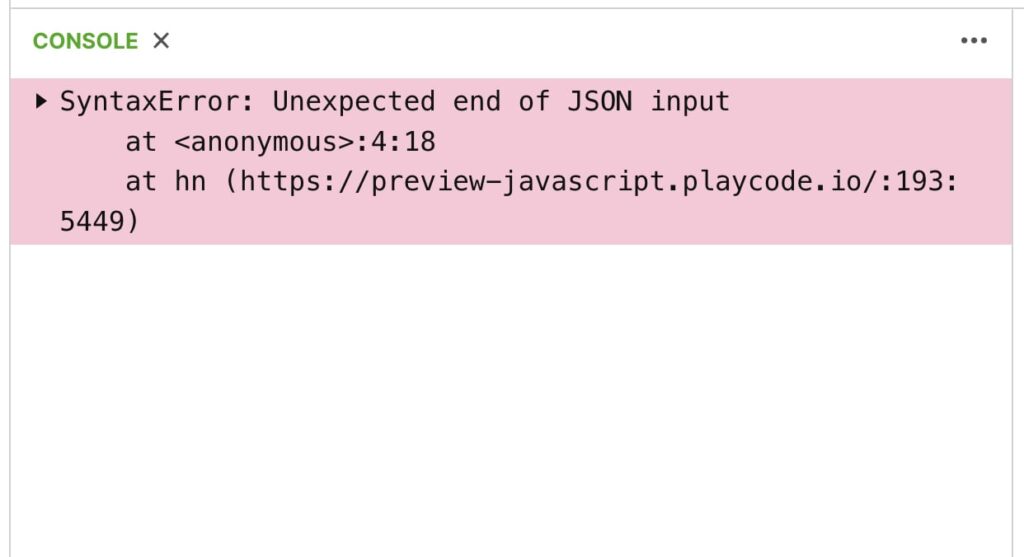
We all have tried fetching the data from the server by hitting an API and parsing the response to show it on the website. Chances are, you might have got this error at some point, and this is a common error to get stuck.
If you run the following code you will get this error.
I got this error and tried resolving it. Gone through the answers on Stackoverflow and tried debugging the code, and while debugging it, I figured out why this occurs and how you can avoid this error.
This error is because we might be trying to parse an empty string or an empty array using JSON.parse()
And since we are trying to parse an empty string or empty array, end of string is reached before parsing the content of JSON text.
We have to make sure that the JSON we are trying to parse is valid. We might be getting either an empty array or an empty string as the response.
Another reason might be due to the Content-type header. The value of the Content-type header must be application/json.
Even if the server might be sending an empty response, we should be checking that as well.
How to Solve Error?
The easiest way to fix this error is to wrap our code inside a try/catch block which will help us in catching the error and with the help of that, we can show some error message.