Latest Post

Alan Mathison Turing was a British computer scientist, Mathematician, and Logic philosopher. He was born on 23 June in the year 1912 in Maida vale London, England. Alan’s father’s name was Julius Mathison Turing. His mother’s name was Ethel Sara. Ethel was the daughter of Edward Stony, chief engineer of Madras Railway. His father was a civil servant. And his grandfather had been a general in Bengal Army.

He completed his schooling at a top private school. In the year 1926, he entered Sherborn school, an independent boarding school in Sherborn. Alan was naturally too good in mathematics. To study mathematics Alan entered the University of Cambridge in the year 1931. He got his Ph.D. degree from the department of mathematics at Princeton University in the year 1938.
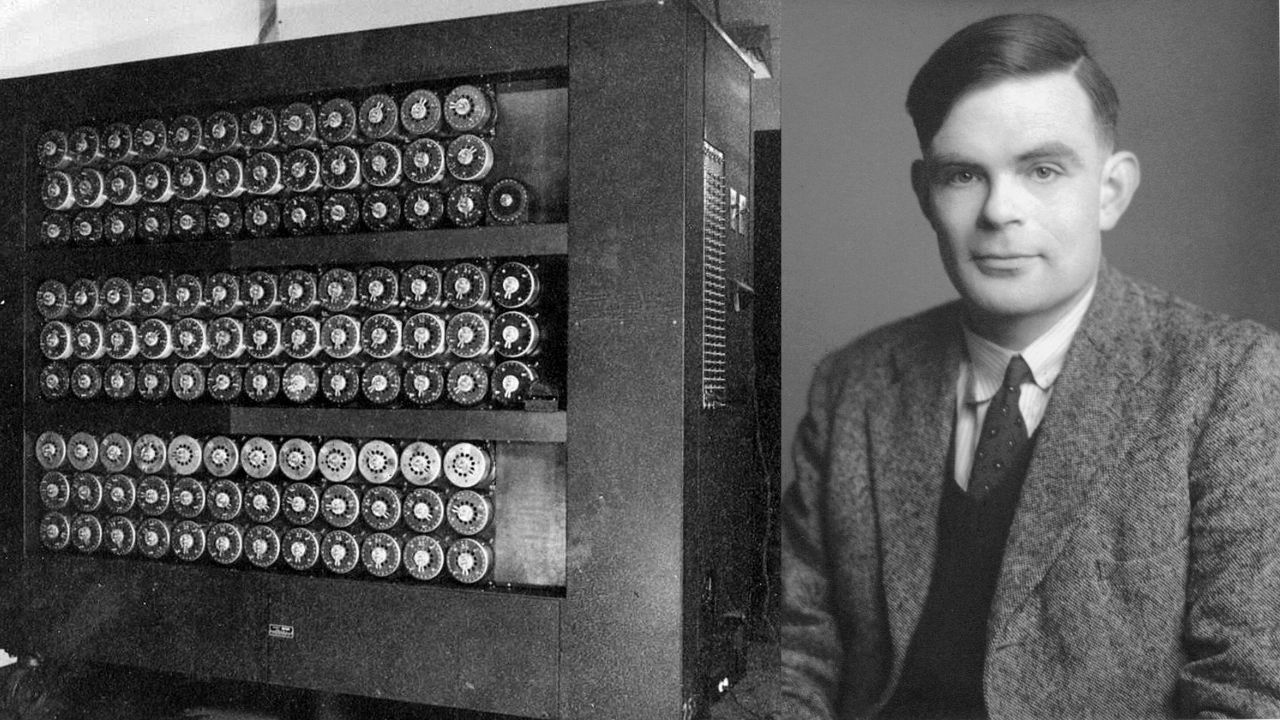
Alan Turing Biography

Relation with Marcom Christopher

Alan and Christopher were friends from school at Sherborne and were described as Alan’s first love. In the year 1930 Christopher died because of bovine tuberculosis. After this event, Alan went into deep sorrow. To reduce his grief he worked hard on the topics of Mathematics and science. Even after Christopher’s death, Alan remained in contact with his mother through letters.

Breaking Enigma Code

At the time of the second world war, Alan was the main participant in breaking German Enigma ciphers at Bletchley Park. Bletchley Park was the British government’s wartime HQ. Asa Briggs a historian and wartime codebreaker once said that Alan was a genius.

Enigma was more like a typewriter, battery-powered and highly portable. It combined electrical and mechanical components. It was a cipher device developed by a German engineer in the 1920s after world war 1st. It was used by all branches of the German military in world war second.

In the year 1938, he worked on government code and Cypher school, the British codebreaking organization. He and Dilly Knox, a senior codebreaker were engaged in the Enigma cipher machine used by Nazi Germany.

Personal Life

Alan proposed marriage to his colleague Joan Clarke in the year 1941. She was a mathematician and cryptanalyst working at Hut 8. When Alan admitted that he was homosexual their engagement broke. After this event, Alan decided that he could not go through this relationship.

Sexuality and Conviction

Alan started a relationship with Arnold Murray in the year 1952. At this time Alan’s age was 39 and Arnold was 19 years old. Alan met him outside the Regal cinema and invited him for lunch. Alan’s house was burglarised on 23rd January. Murray admitted that he and the thief were cognizant. After knowing it Alan reported it to the crime police. In this investigation, he accepted the sexual relationship with Arnold. At that time homosexual acts were a crime in the United Kingdom. Alan and Arnold were charged with gross indecency under section 11 of 1885. On 31 march 1952, the case Regina vs Alan and Arnold was brought to trial. Alan Turing was convicted, and after that, he was given the choice between imprisonment and probation.

He chose probation, his probation was conditional on his agreement to go through chemical castration. He accepted having an injection of a synthetic estrogen called stilboestrol. All these things were continued for the course of one year. Consequently, this treatment rendered Alan impotent, and breast tissue formed in his body.

Death

Alan Turing died on 8 June 1954 at his house. His housekeeper first saw him dead. Alan died one day before his birthday because of Cyanide poisoning.

The post Alan Turing Biography appeared first on The Crazy Programmer.


from The Crazy Programmer https://ift.tt/hvf7xyC
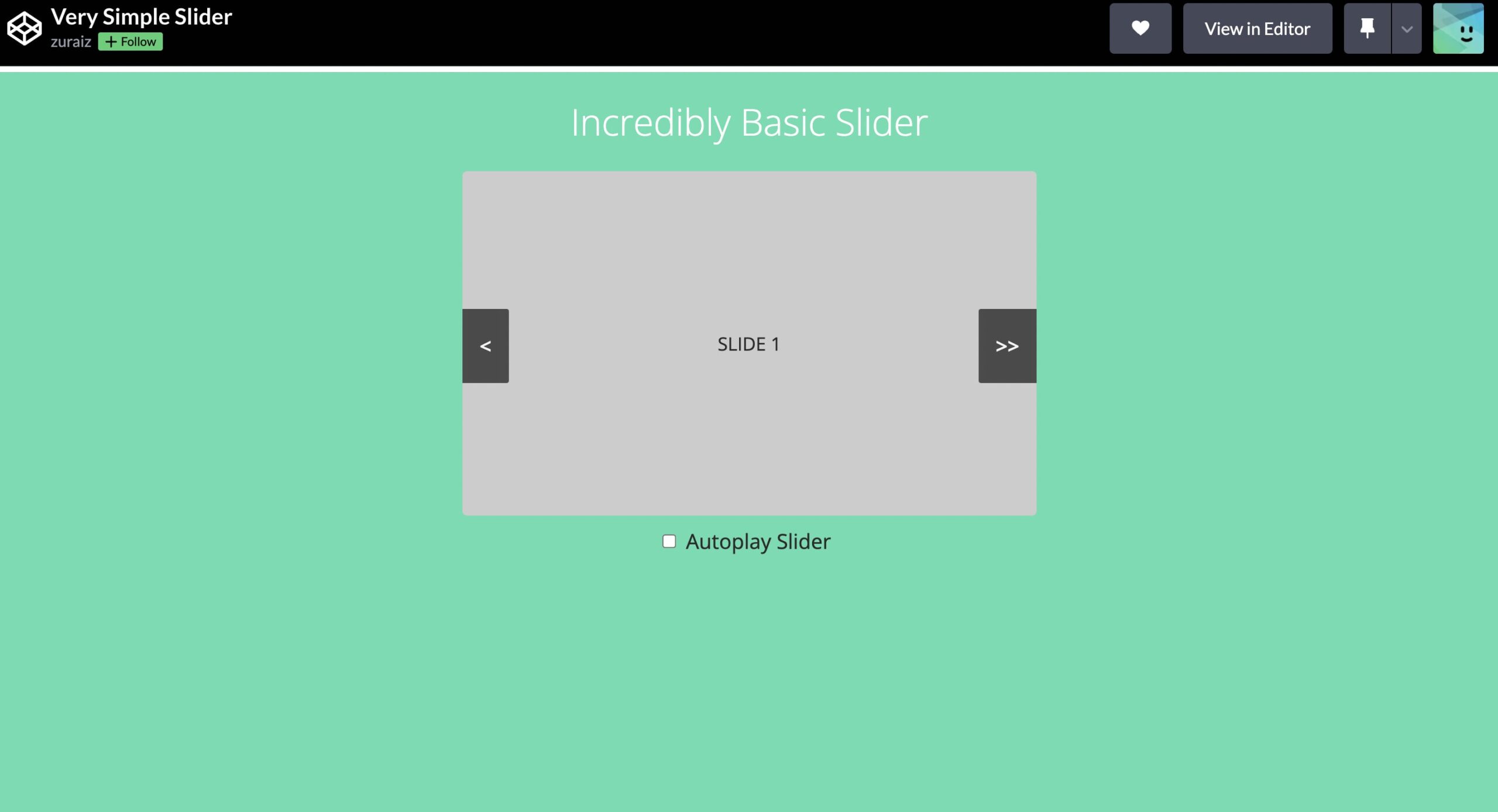
Slider is a very important part of any website or web project. Here are some simple image slider examples that I handpicked from various sites. These are built by different developers using basic HTML, CSS, and JavaScript. Some are manual while others have auto-slide functionality. You can find the source code for each by clicking on the code button or on the image.

1. Very Simple Slider

Very Simple Slider

2. Popout Slider

Popout Slider

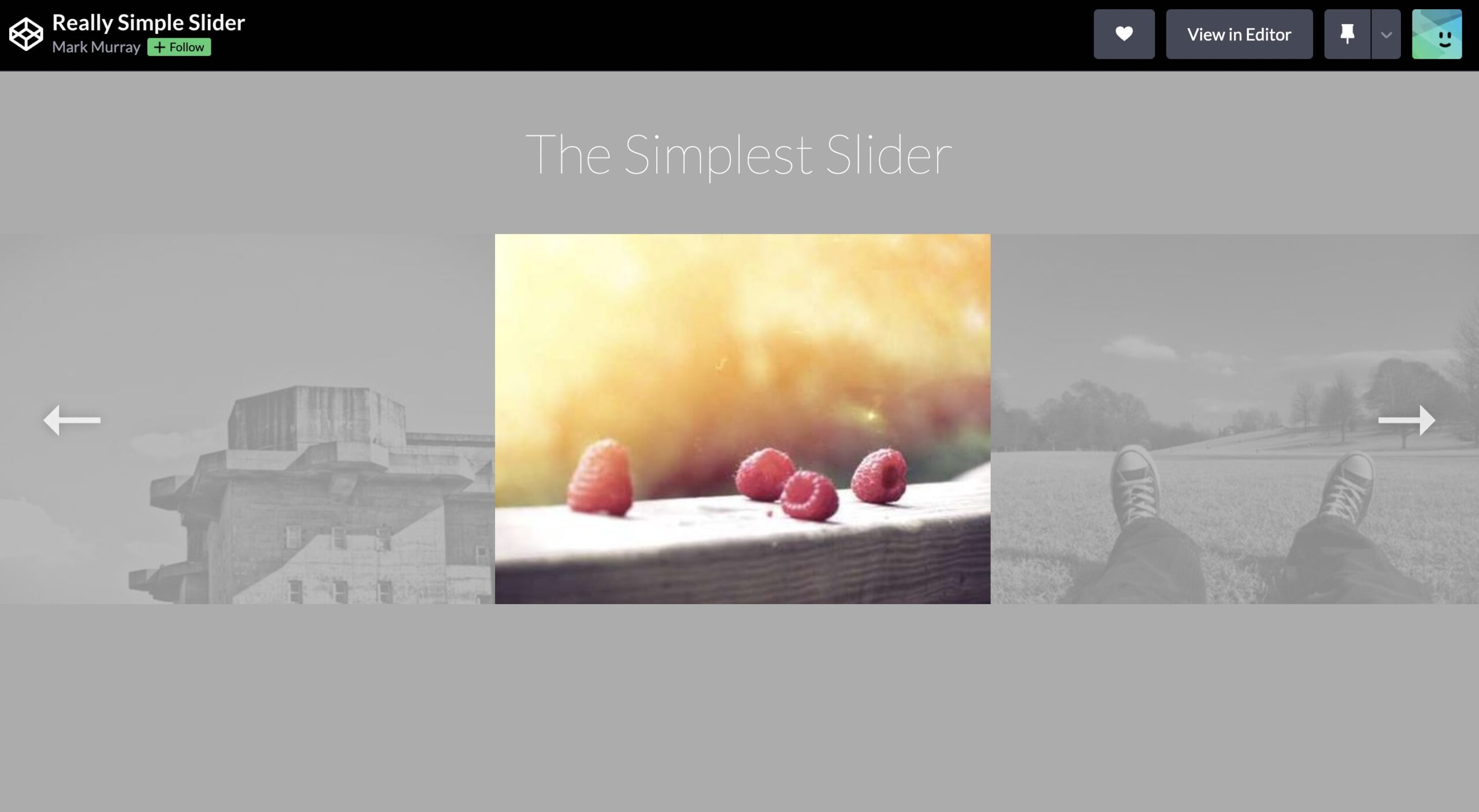
3. Really Simple Slider

Really Simple Slider

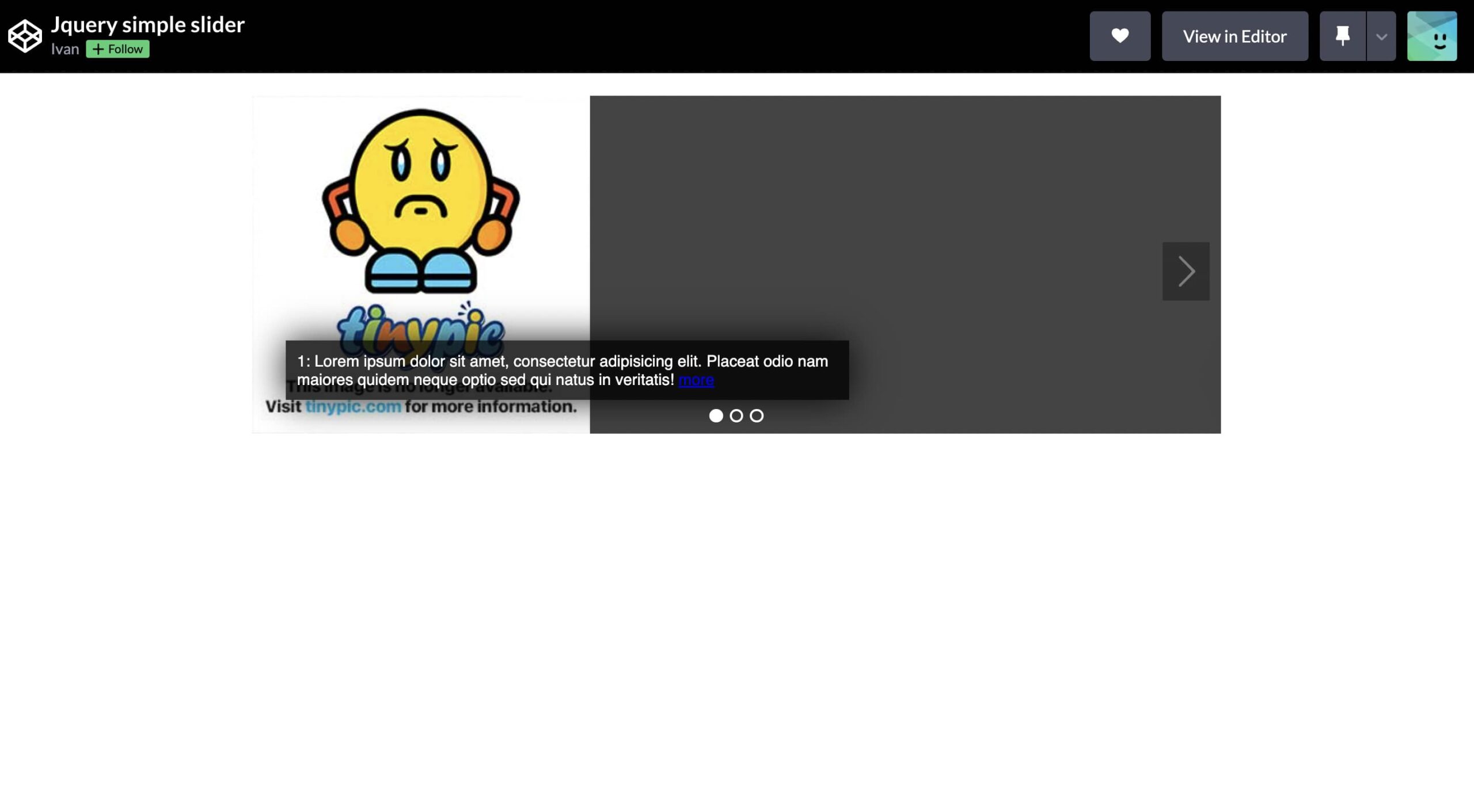
4. Jquery Simple Slider

Jquery Simple Slider

5. Manual Slideshow

Manual Slideshow

6. Slideshow Indicators

Slideshow Indicators

7. Simple Responsive Fullscreen Slider

simple responsive fullscreen slider

8. Responsive Image Slider

Responsive Image Slider

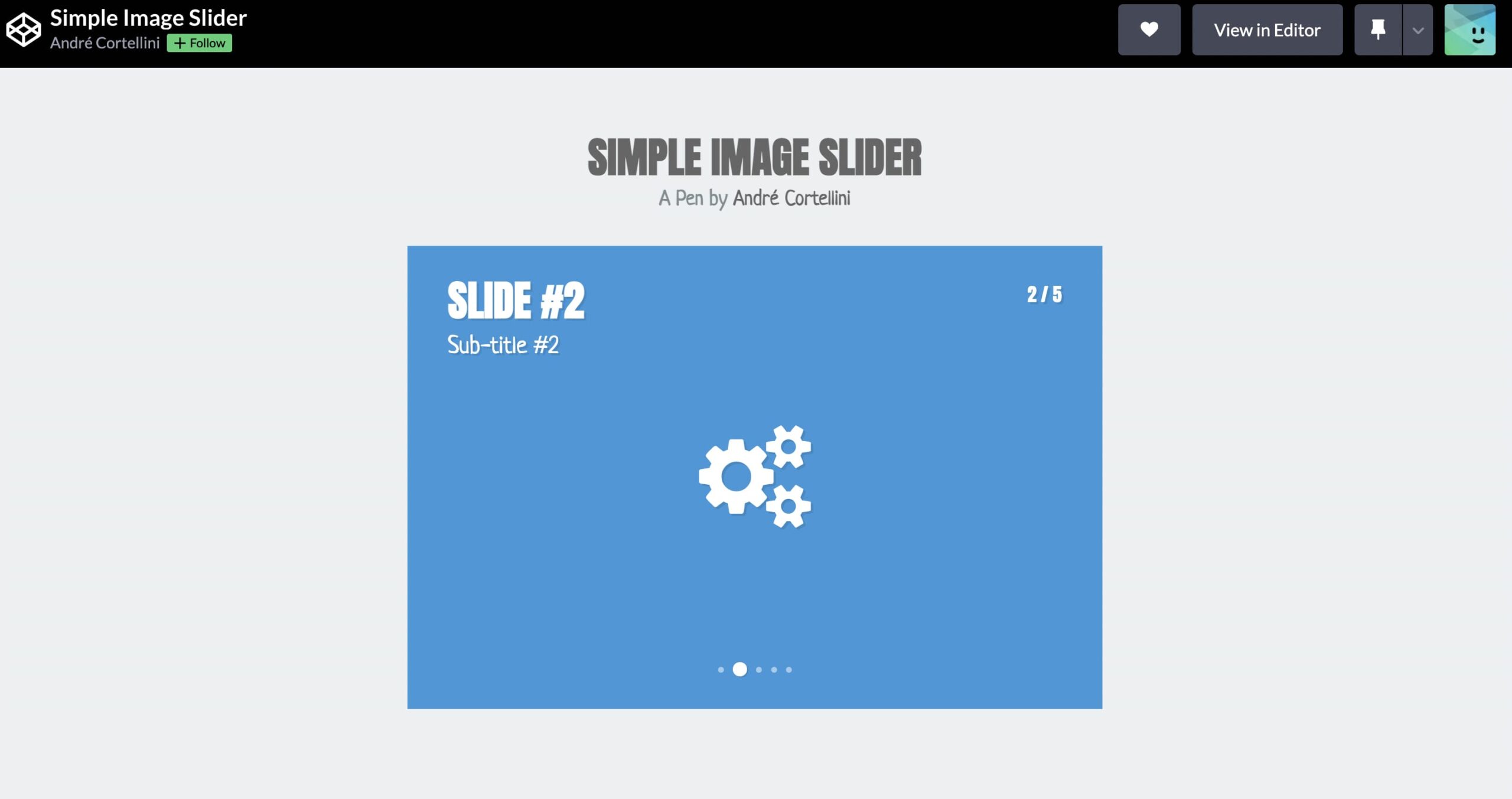
9. Simple Image Slider

Simple Image Slider

10. Slicebox – 3D Image Slider

Slicebox - 3D Image Slider

I hope these simple image sliders are helpful for you. For any queries, you can ask in the comment section below.

The post 10 Simple Image Slider HTML CSS JavaScript Examples appeared first on The Crazy Programmer.


from The Crazy Programmer https://ift.tt/90Dd1gu

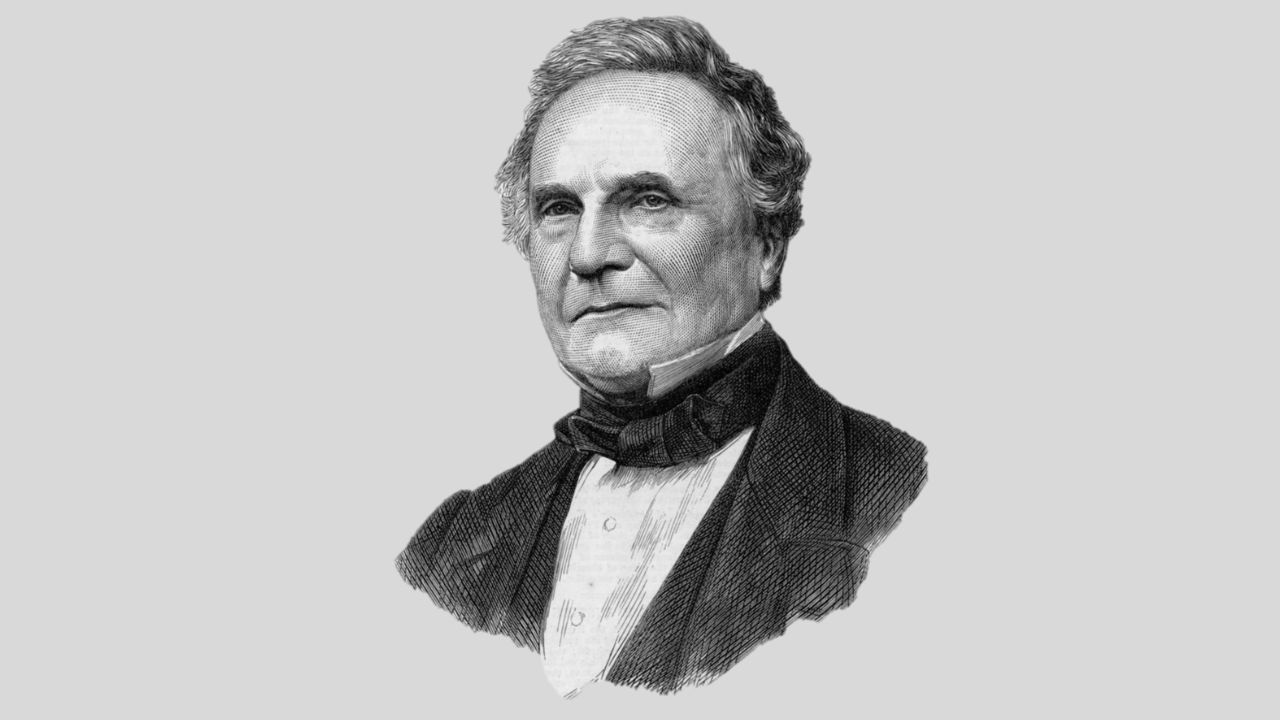
Charles Babbage was a great Mathematician, Inventor, and Mechanical Engineer. He originated the big idea of a digital programmable computer. Charles is considered “The Father of Computer”. Charles invented the first Mechanical computer.

Early Life and Education

Charles Babbage was born on 26 November 1791 in London, England. His father’s name was Benjamin Babbage and his mother’s name was Betsy Plumleigh. His family moved into the old Rowden house in East Teignmouth in the year 1808. Charles was sent to a country school in Alphington when he was only eight years old. After some time he joined the 30-student Holmwood Academy. This academy had a library that motivated Charles toward mathematics. When Charles was 16 or 17, he returned home to attend Totnes school. Later he went to Trinity College, Cambridge in the year 1810. Charles’s wife’s name was Georgiana. He had eight children’s but only four survived childhood. And his wife also died on 1 September 1827.

Charles Babbage Biography
Name Charles Babbage
Father Benjamin Babbage
Mother Betsy Plumleigh
Birthdate 26 November 1791
Death 18 October 1871
Wife Georgiana
Known for Difference Engine
Awards Gold medal of the Royal Astronomical Society

In 1812 or 1813 first time he thought about mechanically calculating mathematical tables. Charles was a member of The Ghost Club investigating supernatural phenomena. Charles arrived at Peterhouse, Cambridge in the year 1812. After some time he made a calculator. This calculator could do mathematical computations to eight decimals.

Difference and Analytical Engine

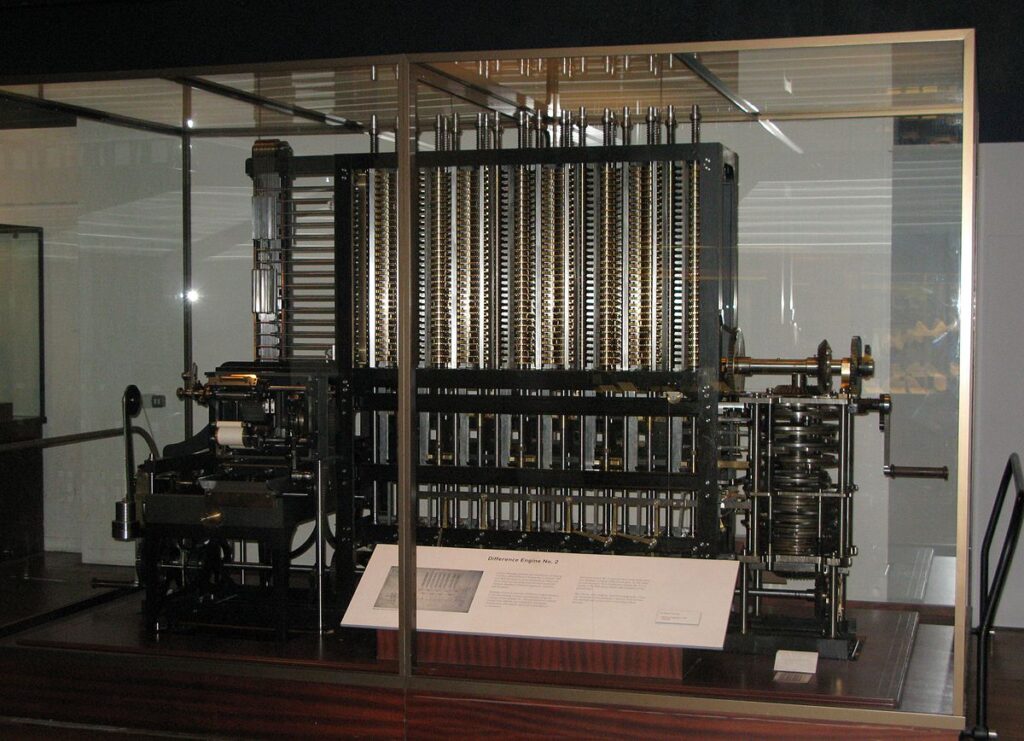
After some years he got support from the government to design a Difference Engine with approx 20 decimal capacity. This device was a digital device. It had data storage also like modern computers. To develop Mechanical Engineering techniques Babbage devoted himself. From 1828 to 1839, he worked as a maths professor at the University of Cambridge. In the year 1833 all designs and constructions ceased because Joseph Clement, the machinist refused to work due to some reason.

Charles Babbage Difference Engine

In the middle of the 1830s, Charles planned to develop an Analytical Engine. He imagined this device as capable of doing complex arithmetical operations depending upon instructions given by Punch cards, a Memory unit to store numbers, Sequential control, and some other elements of modern digital computers. As in the case of Difference Engine, this project was also very complex.

Later in the year 1843 Ada Lovelace friend of Charles translated the french paper about Analytical Engine and gave her own explanation, and published how it could perform calculations. It was the first computer program. However, Analytical Engine was never completed.

In the year 1937 babbage’s unpublished notebook was discovered. Difference Engine no.2 was built by British scientists in the year 1991 according to Charles’s specifications. And also built a printer for the Difference engine in the year 2000.

Death

Charles Babbage died at the age of 79, on 18 October 1871 at 1 Dorset Street, Marylebone. He lived and worked here for over 40 years.

The post Charles Babbage Biography – Father of Computer appeared first on The Crazy Programmer.


from The Crazy Programmer https://ift.tt/rA59qQa

Kenneth lane Thompson was born on 4th February 1943 in New Orleans Louisiana, U.S. He is a computer scientist. Thompson worked for a long time at Bell Labs. He designed the original Unix operating system and also implemented it while working at bell labs. Thompson was the co-winner of the Turing award in 1983. He is famous for his work on Unix operating system.

Education and Personal Life

Thompson completed his bachelor’s in 1965 and master’s in 1966 from the University of California, Berkeley. He received bachelor’s and master’s degrees in electrical engineering and computer science.

Ken Thompson is married and he has a son also.

Name Kenneth lane Thompson
Birth 4th February 1943
Birthplace New Orleans Louisiana, U.S.
Education Bachelor’s degree in Sciences (1965) and Master’s Degree (1966)
Nationality American
Fields Computer Science

Career and Research

Thompson started work in Bell labs in 1966. Thompson and Dennis Ritchie worked together on Multics operating system at Bell labs. At that time Thompson created a Programming language named Bon. Space travel (a video game) was also created by him. Multics operating system is funded by Advanced Research Projects Agency and developed by researchers at the Massachusetts Institute of Technology including Bell labs and General electric co. Later the parent company (AT & T Corporation) of Bell labs withdrew from the Multics project.

He started developing a more flexible operating system for PDP-7 a mini-computer. After a few months, Thompson and Ritchie created Unix. Unix’s name was suggested by Brian Kernighan. In 1970 Thompson invented the B Programming language for Unix with some help from Dennis Ritchie.

Thompson and Robb Pike developed UTF-8 together in 1992. Thompson continued research with Ritchie at Bell labs. Thompson retired from Bell Labs in the year 2000 and started work at Intrisphere. Now Thompson working at Google as a renowned engineer.

When someone asked him how he learned to program then Thompson said that he was always fascinated with logic and even in grade school he had worked on arithmetic problems in binary.

Awards

  1. Thompson was elected to the National Academy of Engineering for making Unix (An operating system) in
    the year 1980.
  2. Thompson was elected the Member of the National Academy of Science in 1985.
  3. Thompson was the co-winner of the Turing Award in the year 1983.
  4. Thompson received the IEEE Richard W. Hamming medal from the Institute of Electricals and Electronics Engineers in 1990.
  5. Thompson and Ritchie got the National Medal of Technology in the year 1999 for inventing the
    Unix operating system and C language.
  6. Ken Thompson received Tsutomu Kanai Award from the Institute of Electricals and Electronics Engineers in 1999.
  7. Thompson and Dennis Ritchie were awarded the Japan Prize for Information and communication in the year 2011 for developing the Unix operating system.

The post Ken Thompson Biography appeared first on The Crazy Programmer.


from The Crazy Programmer https://ift.tt/RZKrbFB

Unicode and ASCII are now the two-character encoding systems that are most extensively used worldwide. We can process, share and store text in any language through unicode encoding, as opposed to ASCII, which is used to represent text in computers as symbols, characters, and numbers.

What is ASCII?

American Standard Code for Information Interchange is referred to as ASCII. It represents text with numbers. Characters include digits (1, 2, 3, etc.), letters (a, b, c, etc.), and symbols (!). Each character in a text message is changed into a number using ASCII. This collection of figures is simpler to keep in the computer’s memory. If I explain it in laymen’s words then it is the process of giving a character a numerical value.

Let us take an example, an upper case character ‘A’ is assigned as 65, lower case character ‘a’ is assigned as 97. Here’s an image of the ASCII table explaining all the values assigned to the character.

What is Unicode?

Just like ASCII, Unicode also provides one of the ways to uniquely defined numbers. The Unicode encoding method maintains the Unicode standard, which defines emoji and more than 1 lakh 40 thousand characters through 150 modern and ancient scripts.

There are different ways of encoding that can be done through Unicode like UTF-8, UTF-16, and UTF-32. According to statistics, UTF-8 is the most popular encoding used on the World Wide Web.

Differences between ASCII and Unicode

Here’s a table containing some main differences between both.

Unicode ASCII
Unicode has the ability to encrypt 154 scripts. An Ascii has the ability to convert only 128 characters with the 7-bit range.
 Unicode is a bigger version of Ascii. Ascii is a smaller version of Unicode.
 It represents Universal Character Set. It represents American Standard Code for Information Interchange.
It can use 8-bit, 16-bit, and 32-bit as compared to the encoding style. It can use 7 bits to represent a character.
It needs more space. It needs less space.
 An encoding standard is used for electronic communication. A standard way for encoding and managing the text.

Conclusion

In conclusion, the text encoding standards Unicode and ASCII are of the highest importance in recent communication methods. By now you must have understood that Unicode and Ascii contain their own advantages, it depends on the programmer to use encoding systems as per needs. Feel free to comment below if you are still having any doubts.

The post ASCII vs UNICODE – Difference Between Both appeared first on The Crazy Programmer.


from The Crazy Programmer https://ift.tt/MiXxqOD

Object-oriented programming is a programming model that revolves around an object or entity. Object-oriented programming has been an enormous success for both developers and programmers. Creating a more seamless process and system for their employees and clients has benefited multi-billion dollar corporations. However, a significant amount of time must be devoted to learning programming languages and coding techniques to achieve such a result.

In college or university, a novice programmer typically has a ton of assignments to complete in addition to plenty of homework. Thankfully, there are online services like https://wowassignment.com/do-my-programming-homework/ where you can hire professionals to help you with your programming homework and entrust your projects to qualified, experienced programmers.

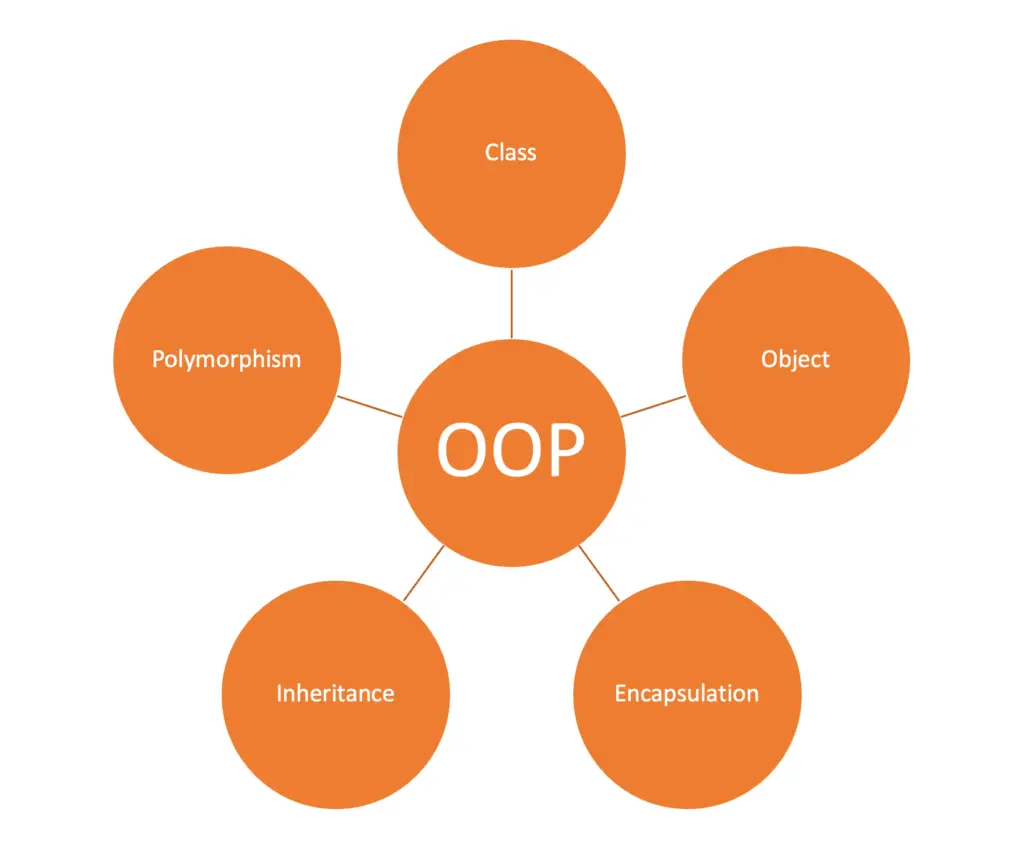
Object-oriented programming is based on five fundamental concepts, namely:

  • Class
  • Object
  • Encapsulation
  • Inheritance
  • Polymorphism

We will tell you about each of these concepts separately.

Object Oriented Programming

1. Concept of Class

The first fundamental concept of object-oriented software is Class. A class is an abstract structure that describes real-world objects from two angles: its properties (characteristics) and methods (the actions it can perform or its behavior).

For example: in object-oriented programming, employees can be represented in the form of a class; in this case, the class Employees represents all the employees who can have as properties a surname, a first name, an address, and a date of birth; the operations that can be performed on employees can be changing their salary, taking leave, retiring, etc.

The Class is ultimately a mold, a template, and all class instances are called objects, which are constructed from the Class by an instantiation process. Therefore, every object is an instance of a class.

The instantiation of a class uses three special methods which are very important to understand.

Constructor

There are three types of constructors:

  • the default constructor called by default when an object is created (offered by default during compilation if there is no declared constructor),
  • the copy constructor (or copy constructor) has a single argument of the same type as the object to be created (generally in the form of a constant reference), and it copies the attributes from the object passed in the argument to the object to be created.
  • the parametric constructor is called if the signature matches that of the constructor.

Accessors (get) and Mutators (set)

These unique methods allow you to call the properties and modify the properties of a class from the outside, like an API. The outside can “call” the Class’s functionalities thanks to them.

Accessors allow you to retrieve the value of the properties of a class instance from the outside without accessing them directly. In doing so, they secure the attribute by restricting its modification. The mutators allow you to modify the value of the properties while checking that the value you want to give to the feature respects the semantic constraints imposed on the Class.

Destructor

This method ends the life of a class instance. It can be called when the object is deleted, explicitly or implicitly.

2. Concept of Object

The second most important concept in object programming is the object. As we said earlier, an object is an instance of a class. The object is a bit like a house built based on a particular plan. As long as architects refer to this plan, they will always produce identical dwellings.

Technically, an object is characterized by three things:

  • an identity: the identity must unambiguously identify the object (address/reference or name);
  • states: each object has a default value (when indicated at instantiation) for its properties. These values are called the states of the object;
  • methods: each object can execute the actions or behavior defined in the Class. These actions are translated in OOP concretely in the form of methods. The possible actions on an object are triggered by calls of these methods or messages sent by other objects.

3. Concept of Encapsulation

The third concept of object-oriented programming is encapsulation.

Its methods can only access the properties of objects. Thus, the Class encapsulates the attributes and the methods that allow manipulating the objects independently of their states.

The encapsulation restricts direct access to the states and prevents object modification outside its methods. For example, if you have a Car class and want to set the value of its color property to blue, you need to go through a method such as a “define the color” implemented by the Class developer. This method can restrict the different color values.

Encapsulation is a mechanism that prevents modification or access to objects by any means other than the proposed methods. It guarantees the integrity of the objects.

4. Concept of Inheritance

Inheritance is the fourth key concept in object programming. It is a concept in OOP that refers to the fact that a class can inherit characteristics (attributes and methods) from another class.

Objects of classes can inherit properties from a parent class. For example, we can define an Employee class and a Manager class, a specialized class of Employee, which inherits its properties.

Inheritance has two main advantages in OOP:

  • specialization: a new class reuses the attributes and methods of a class by adding operations specific to the new Class;
  • reuse: you don’t need to recreate the same Class each time for each specialized Class.

5. Concept of Polymorphism

The last essential concept of object-oriented programming is polymorphism. An object-oriented language is polymorphic if it can perceive an object as an instance of different classes depending on the situation. Java, for example, is a polymorphic language.

Conclusion

Developers should have a solid understanding of object-oriented programming, as it is the foundation of many high-level programming languages. You can identify the underlying causes of bottlenecks and eliminate them by writing more creative code by using the fundamental OOP concepts to comprehend how simple programs operate. Developing your skills can be aided by coding suites, learning new languages, and understanding OOP concepts.

The post 5 Fundamental Concepts of Object Oriented Programming appeared first on The Crazy Programmer.


from The Crazy Programmer https://ift.tt/Jq3Fuc2

What is new?

New is a keyword in c++ and it is a type of memory allocator which is responsible for allocating memory in a dynamic way. The heap memory is allocated by this operator and it shares the beginning address of the memory assigned to a certain variable.

The working of the new keyword is similar to malloc and both of the keywords can be used with C++.

Although we prefer using new keyword because it possess several advantages over malloc.

Here’s a way to represent new keyword in C++:

data_type variable_name_decided = new data_type ( arguments_passed ) ;

In the above syntax “data_type” refers to the datatype for which you want to create memory space in a dynamic way, “variable_name_decided” is used to represent the variable of a particular datatype, “new” keyword is used to allocate memory dynamically, “arguments_passed” can be arguments passed in the constructor for initializing the constructed object.

We are aware that the heap’s capacity is constrained and that the new operator allocates memory to it. As a result, the new operator will fail if the heap runs out of memory and it tries to allocate memory. The program terminates unexpectedly if your code is unable to handle an exception that the new operator throws if it is unable to allocate the memory.

Code:

#include<iostream>

using namespace std;

int main() {
    int *myptr ;
    myptr = new int ;
    
    cout << "Please enter your age : " << " \n ";
    cin >>*myptr;
    
    cout << "Your age is: " << *myptr << " \n ";
    
    return 0;
}

Output:

Please enter your age :  
 55
Your age is: 55

What is malloc?

malloc is a method or function used for allocating the desired quantity of memory in heap. The malloc method is always responsible for returning void as its return type which is later type-cased for providing pointer to memory of desired type. Since malloc() is used to create memory dynamically, it is comparable to the new operator in C++. It is basically a standard library function.

Here is a way to use malloc method in C++:

data_type variable_name_decided = ( data_type * )  malloc ( sizeof ( data_type ) ) ;

In the above syntax “ data_type ” refers as the datatype for which you want to create memory space in a dynamic way, “ variable_name_decided ” is used to represent the variable of a particular datatype, “ data_type * ” is used to typecast to a pointer, “ sizeof ” is used to get the memory size required.

Code:

#include<iostream>

using namespace std;

int main() {
    int size;
    
    cout << "Please enter the number of people : " << " \n ";
    cin >> size;
    
    int *myptr;
    myptr = ( int* ) malloc( sizeof(int)*size );
    
    for( int i=0; i<size; i++) {
        cout << "Please type the age of " << (i+1) << " Person: " <<"\n";
        cin >> *(myptr+i);
    }
    
    cout << "The Age of all the persons are printed below : " <<"\n";
    
    for( int i=0; i<size; i++) {
        cout << *(myptr+i) << "\n";
    }
    
    return 0;
}

Output:

Please enter the number of people :  
 3
Please type the age of 1 Person: 
34
Please type the age of 2 Person: 
54
Please type the age of 3 Person: 
22
The Age of all the persons are printed below : 
34
54
22

new vs malloc

New Malloc
New operator can be called in different programming langugages including C#, C++, and Java. Malloc method is particularly a feature of C  programming language, although it can be used in C++ and some other languages as well.
New operator can be used to call certain constructors of a particular object. Malloc method can never be used to call constructor of any object.
New operator gives the return type which is same as the data type. Malloc method always return void*.
New operator doesn’t contain any feature to reallocate the memory. We can use realloc() method to reallocate memory that was earlier allocated by malloc().
New operator throws an exception if it fails in execution. Malloc method returns NULL if it fails in execution.
Delete method can be used to deallocate the memory allocated by new operator. Free method can be used to deallocate the memory allocated by malloc method.

Conclusion

In the modern days, new operator is majorly used for allocating the memory as it possesses some advantages over malloc method. Malloc was the old method so it was used before the introduction of new operator.

I hope you were able to understand the difference between new and malloc clearly. Feel free to comment below if you are still facing any difficulties.

The post C++ new vs malloc with Example appeared first on The Crazy Programmer.


from The Crazy Programmer https://ift.tt/97as6ix

The base class pointer can point to both base class & derived class objects. Although, it cannot change the values present in the derived class. Let us see some code examples for the explanation.

Code:

#include<iostream>
using namespace std;

class Base_Class_Details{
   public:
   int age;
   void setAge(int myage){
      age=myage;
   }
   int getAge(){
      return age;
   }
   string name;
   void setName(string myname){
      name=myname;
   }
   string getName(){
      return name;
   }

   void showDetails(){
      cout<< "The age of the person is: " << age <<"\n";
      cout<< "The name of the person is: " << name <<"\n";
   }
};

int main()
{
   Base_Class_Details* my_pointer_base=new Base_Class_Details();

   my_pointer_base->setAge(20);
   my_pointer_base->setName("Pulkit Govrani");
   my_pointer_base->showDetails();

   return 0;

}

Output:

The age of the person is: 20
The name of the person is: Pulkit Govrani

Code Explanation:

In the above code, we have created a class named as Base_Class_Details. Now we created 2 variables as age, name. Both getter and setter methods are defined for these variables. Then there is a method “showDetails” which is going to print the values of the variables.

It is time to declare a pointer of Base_Class_Details as my_pointer_base along with new keyword inside the main function. Next the setAge & setName methods are called through the pointer to assign values. Lastly we have called the showDetails method to print the details of the person.

Code:

#include<iostream>
using namespace std;

class Base_Class_Details{
   public:
   int age;
   void setAge(int myage){
      age=myage;
   }
   int getAge(){
      return age;
   }
   string name;
   void setName(string myname){
      name=myname;
   }
   string getName(){
      return name;
   }

   void showDetails(){
      cout<< "The age of the person is: " << age <<"\n";
      cout<< "The name of the person is: " << name <<"\n";
   }
};

class Derived_Class_Details: public Base_Class_Details{
   public:
   string profession;
   void setProfession(string prof){
      profession=prof;
   }

   void showDetails(){
      cout<< "The age of the person is: " << age <<"\n";
      cout<< "The name of the person is: " << name <<"\n";
      cout<<"The profession of the person is: "<<profession<<"\n"; 
   }

};

int main()
{
   Base_Class_Details* my_pointer_base=new Base_Class_Details();
   Base_Class_Details base_object;
   Derived_Class_Details derived_object;
   my_pointer_base = &derived_object; // Here our base class pointer is pointing to the derived class

   my_pointer_base->setAge(20);
   my_pointer_base->setName("Pulkit Govrani");
   // my_pointer_base->setProfession("Freelancer"); //This will result into an error.
   my_pointer_base->showDetails();

   Derived_Class_Details * my_pointer_derived;
   my_pointer_derived = &derived_object;
   my_pointer_derived->setAge(21);
   my_pointer_derived->setProfession("Freelancer");
   my_pointer_derived->showDetails();

   return 0;

}

Output:

The age of the person is: 20
The name of the person is: Pulkit Govrani
The age of the person is: 21
The name of the person is: Pulkit Govrani
The profession of the person is: Freelancer

Code Explanation:

In the above code, we have created the same class Base_Class_Details and it contains the same methods as above. Now we have inherited this class onto the class Derived_Class_Details publically.

The Derived_Class_Details class contains an additional function as setProfession which is taking string as an argument.

Let’s move inside the main method, there are two objects created for both Base_Class_Details & Derived_Class_Details classes. The base pointer is pointing to the derived class object. Then we are setting the age, and name of the person through the base pointer.

If you try to access the object from Derived Class then it will throw an error (refer to the commented code where base_pointer is calling the setProfession method.) One more pointer of derived_class is created, followed by setting up the age, and profession of the person. The last showDetails method is called to print the output.

I hope you have understood both of the above programs, feel free to comment below if you are still facing any difficulties.

The post Pointer to Derived Class in C++ appeared first on The Crazy Programmer.


from The Crazy Programmer https://ift.tt/I4OW2a8

Vector comes under STL. It can be termed as a dynamic array i.e, we can add or remove elements in vectors even in runtime. This flexibility with values is not possible in the arrays.

Vectors aren’t ordered in increasing or decreasing order, although they can be easily accessed by iterators.

There are different ways through which we can traverse through a vector. In this blog, we will be exploring all those ways.

1. Using for Loop

We will iterate through the vector by accessing all the indexes one after another inside the for loop.

Let us see the code for a better overview.

#include<iostream>

#include<vector>

using namespace std;

int main()

{

   //Taking the below vector as an example.

   vector<int> myvector = {10, 50, 20, 60, 43, 32};

   cout << "The elements present in the above vector are: " << "\n";

   for(int i=0;i<myvector.size();i++) {

      cout << myvector[i] << " ";

      // i is represented as an index.

   }

   cout << "\n";

   return 0;

}

Output:

The elements present in the above vector are:

10 50 20 60 43 32

2. Using while Loop with at() Method

We will iterate through the vector by accessing all the indexes one after another using the at method inside while loop. Let us see the code for a better overview.

#include<iostream>

#include<vector>

using namespace std;

int main()

{

   //Taking the below vector as an example.

   vector<int> myvector = {10, 50, 20, 60, 43, 32};

   cout << "The elements present in the above vector are: " << "\n";

   int lastindex=0;

   while ( lastindex < myvector.size()) {

      cout << myvector.at(lastindex) << " ";

      lastindex++;

   }

   cout << "\n";

   return 0;

}

Output:

The elements present in the above vector are:

10 50 20 60 43 32

3. Using an Iterator

An iterator is declared which points to the beginning of the vector, and we increase the iterator by 1 till it doesn’t reach the end of the vector. Let us see the code for a better overview.

#include<iostream>

#include<vector>

using namespace std;

int main()

{

   //Taking the below vector as an example.

   vector<int> myvector = {10, 50, 20, 60, 43, 32};

   cout << "The elements present in the above vector are: " << "\n";

   vector<int>::iterator my_iterator = myvector.begin();

   for( my_iterator; my_iterator != myvector.end(); my_iterator++) {

      cout << *my_iterator << " ";

   }

   cout << "\n";

   return 0;

}

Output:

The elements present in the above vector are:

10 50 20 60 43 32

4. Using auto Keyword with for Loop

The auto keyword adjusts the datatype according to the needs. It can only be used with the for loop. Let us see the code for a better overview.

#include<iostream>

#include<vector>

using namespace std;

int main()

{

   //Taking the below vector as an example.

   vector<int> myvector = {10, 50, 20, 60, 43, 32};

   cout << "The elements present in the above vector are: " << "\n";

   for (auto & value : myvector)

   {

      cout << value << " ";

   }

   cout << "\n";

   return 0;

}

Output:

The elements present in the above vector are:

10 50 20 60 43 32

There are some similar ways in which we can use while, do-while loop but the main logic is the same. So I hope you have understood this blog clearly, feel free to comment below if you still have any doubts.

The post C++ Iterate Over Vector – 4 Ways appeared first on The Crazy Programmer.


from The Crazy Programmer https://ift.tt/VcXHqSZ

Decomposition means dividing a large and complex table into multiple small and easy tables. This removes redundancy, anomalies, and inconsistency in a database. This is the first stage of normalization.

Suppose we have a relational schema R, in which we have attributes as given below:

A1, A2, A3…………An

So R = {A1, A2, A3…………An}

If we decompose it into small parts then R will be divided into the following parts:

R1, R2……..Rx

These all relational schemas belong to the original one R.

R1, R2……..Rx = R

Also, we can write that union of all these subsets belongs to the original set R.

R1 U R2 U R3 ……..U Rx = R

Here R1, R2……..Rx <= R

Also 1<= i <= x      (i= number of relation like 1,2,3…..x)

Decomposition is further divided into two parts Lossless and Lossy. Let’s discuss them one by one in detail.

Lossless Decomposition

Loss means data loss while decomposing a relational table. A lossless decomposition is somewhat in which data is not lost because JOIN is used.

First, we decompose a large table into small appropriate tables, then apply natural join to reconstruct the original table.

This is a student database relational table:

Student Details

Sid Name (Not Null) Subject (Not Null) Mobile Address
1 Raj English 65468154 51, Vaishalinagar
2 Jyoti Home Science 87668545 4a, Sukhsagar
3 Vikash Maths 26865948 H7, Civil Lines
1 Harsh Maths Null R32, Gokul Villa
3 Ajay Science 86516529 26, Karoli

We can decompose it into two simple tables as given below:

Student Subject Details:

Sid Name (Not Null) Subject (Not Null)
1 Raj English
2 Jyoti Home Science
3 Vikash Maths
1 Harsh Maths
3 Ajay Science

Student Personal Details:

Sid Mobile Address
1 65468154 51, Vaishalinagar
2 87668545 4a, Sukhsagar
3 26865948 H7, Civil Lines
1 Null R32, Gokul Villa
3 86516529 26, Karoli

If we want to see a common table then we can apply Natural JOIN between both tables like this:

Student Subject Details ⋈ Student Personal Details

Sid Name (Not Null) Subject (Not Null) Mobile Address
1 Raj English 65468154 51, Vaishalinagar
2 Jyoti Home Science 87668545 4a, Sukhsagar
3 Vikash Maths 26865948 H7, Civil Lines
1 Harsh Maths Null R32, Gokul Villa
3 Ajay Science 86516529 26, Karoli

In this operation, no data loss occurs, so this is a good option to consider for decomposition.

Lossy Decomposition

In this, the decomposition is performed in such a manner that the data will be lost. Let’s take an example:

Student Details

Sid Name (Not Null) Subject (Not Null) Mobile Address
1 Raj English 65468154 51, Vaishalinagar
2 Jyoti Home Science 87668545 4a, Sukhsagar
3 Vikash Maths 26865948 H7, Civil Lines
1 Harsh Maths Null R32, Gokul Villa
3 Ajay Science 86516529 26, Karoli

If we divide this student details table into two sections as given below:

Student Subject Details:

Sid Name (Not Null) Subject (Not Null)
1 Raj English
2 Jyoti Home Science
3 Vikash Maths
1 Harsh Maths
3 Ajay Science

Student Personal Details:

Mobile Address
65468154 51, Vaishalinagar
87668545 4a, Sukhsagar
26865948 H7, Civil Lines
Null R32, Gokul Villa
86516529 26, Karoli

In this Student Personal Details table, the SID column is not included, so now we don’t know that these mobiles numbers and address belongs to whom.

So always decompose a table in such a manner that the data may be easily reconstructed and retrieved.

The post Decomposition in DBMS – Lossless and Lossy appeared first on The Crazy Programmer.


from The Crazy Programmer https://ift.tt/9C4TjXA

Tim Berners-Lee, the man who created the World Wide Web, never set out to change the world when he developed what would become one of the most important inventions of our time.

Tim Berners-Lee, the inventor of the World Wide Web, has won many awards in recognition of his contribution to society as a whole and to the internet in particular. Here’s what you need to know about him before you bring him on as an expert or speaker for your next event.

Tim Berners-Lee Biography

Early Life

Born in London, England, on June 8th, 1955, Sir Timothy John Berners-Lee is a British computer scientist who is often referred to as the creator of the world wide web. His parents had originally wanted him to pursue a career in music, but they encouraged him when he showed an interest in electronics and mathematics. He attended Oxford University where he studied physics and worked with computers. It was during his time at Oxford that he developed what would later become known as the world wide web.

Berners-Lee married a programmer analyst Nancy Carlson, in the year 1990 and had two kids before they got divorced in 2011. Late he married Leith Rosemary, who was director of WorldWideWeb Foundation, in the year 2014.

When he first started developing the program, it was simply a way for scientists to share information more efficiently. While working at CERN (European Organization for Nuclear Research) in Switzerland, Berners-Lee proposed an internet that would be open to all people and free from commercial restrictions or personal gain. From 1989 until 1990, Berners-Lee spent much of his time trying to get funding for this idea. After 1991, it seemed like it would never happen because funding was not coming through fast enough; however, by 1993 work began on building HTML (Hypertext Markup Language) which became the standard language used for creating websites and sharing information over the internet.

Education and Career

He attended Oxford University and graduated with a first-class degree in Physics from Queen’s College. He did not initially have an interest in computers but instead studied physics and spent time working for CERN in Geneva where he helped create the world wide web.

When he returned to England, he worked at CERN again before eventually starting up his own company called WorldWideWeb. He is also the founder of the W3C which works to standardize technologies that are used online. As well as being famous for inventing the world wide web, he is also well known as an advocate of open standards.

Invention of World Wide Web

In 1989, while working at CERN in Geneva, Switzerland, a high-energy physicist by the name of Tim Berners-Lee proposed an idea that he believed would revolutionize how people communicate and share information. He wanted to create a way for people on different computer systems worldwide to talk with one another and share their work. At that time there was no such thing as email or instant messaging, but he recognized that computers were becoming more powerful and affordable which meant they would soon be available in more homes and offices.

Berners-Lee decided that what he needed was an easy way for people using these different machines to find each other’s documents (or pages) and read them.

Later Career and Achievements

In 1980, Berners-Lee helped create a computer system called Enquire. It was one of the first systems that allowed people to search for information through a network and by 1986 he published a proposal for what would later become known as The World Wide Web.

Ten years later, in 1990, he founded CERN where he led two major projects. One was an experiment called WWW (WorldWideWeb) and another project was called Gopher which allowed users to browse files on different servers. His work at CERN led him to be knighted by Queen Elizabeth II in 2004. Five years later, in 2009, he received the prestigious Turing Award from ACM (Association for Computing Machinery).

The post Tim Berners-Lee Biography appeared first on The Crazy Programmer.


from The Crazy Programmer https://ift.tt/NcSpRE5

MKRdezign

Contact Form

Name

Email *

Message *

Powered by Blogger.
Javascript DisablePlease Enable Javascript To See All Widget